Best Silent Keyboard Switches 2026: Complete Guide for Gamers & Office Workers
Published: 10 May 2026
Mechanical keyboards are popular for their fast response, smooth typing feel, and long-lasting durability, but loud keyboard noise can be frustrating in offices, shared rooms, and late-night gaming setups. That is why many users are now switching to the best silent keyboard switches in 2026 for a quieter and more comfortable experience.
Modern silent keyboard switches are designed to reduce typing noise while still delivering smooth performance for gaming and typing. Unlike regular mechanical switches, silent switches use special dampening materials that lower sound levels significantly, making them perfect for office workers, gamers, writers, and students.
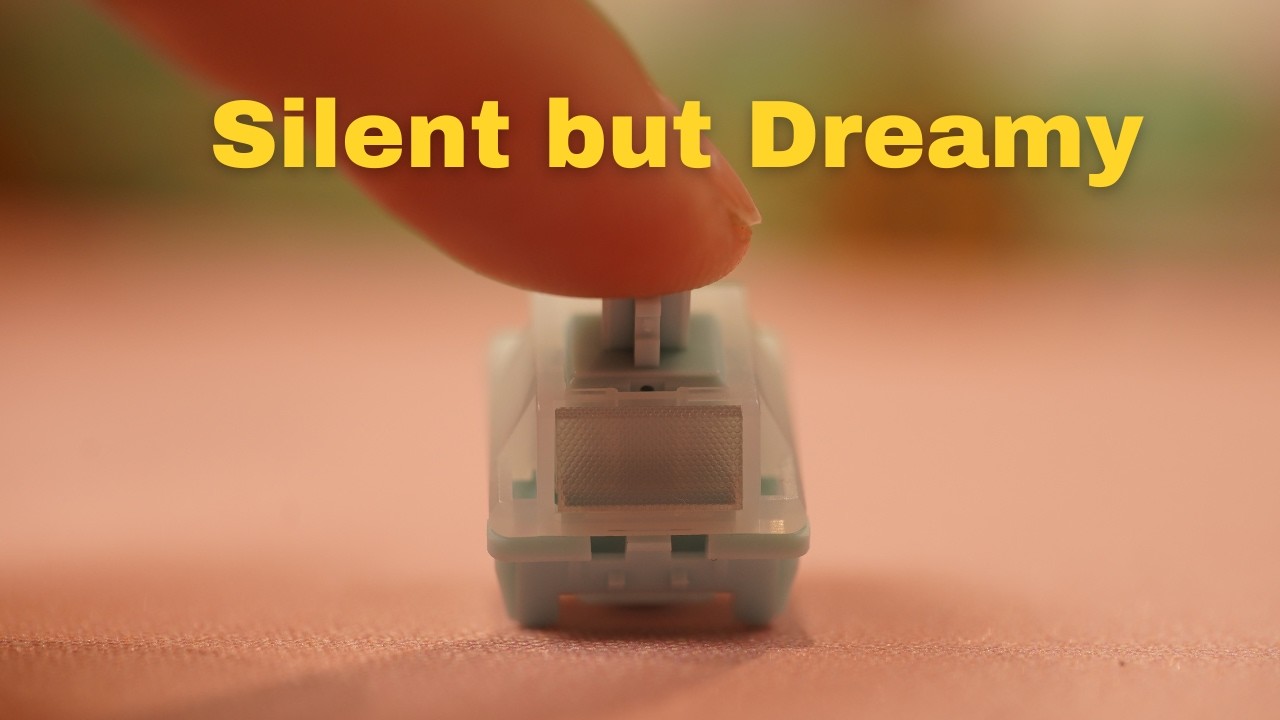
In this guide, we will explore the best silent keyboard switches 2026, compare silent linear and tactile switches, discuss noise reduction tips, and help you choose the right quiet mechanical switch for your keyboard setup.
1. How Do Best Silent Keyboard Switches 2026 Work?
Silent keyboard switches are specially engineered to reduce the noise created during typing. In a standard mechanical switch, most of the sound comes from two areas:
- Bottom-out impact: when the key stem hits the bottom housing
- Top-out sound: when the key returns to its original position
Silent switches reduce these sounds using built-in dampening materials such as rubber, silicone, or TPU pads. These soft materials absorb impact energy and prevent the hard plastic-to-plastic contact that normally creates loud noise.
Another important factor is the switch housing material. Nylon housings usually produce a deeper and more muted sound compared to polycarbonate housings, which often sound sharper and louder.
Many premium silent switches in 2026 also come factory-lubed. Lubrication reduces friction inside the switch, making keystrokes smoother while also minimizing scratchy sounds.
The result is a quieter, softer, and more refined typing experience without losing the benefits of a mechanical keyboard.
2. Silent Switch Types – Linear vs Tactile
Choosing the right silent switch starts with understanding the two major switch categories.
2.1 Silent Linear Switches
Silent linear switches move straight down without any tactile bump or clicking mechanism. Because there is no bump interrupting the keypress, these switches usually feel smoother and quieter.
They are extremely popular among gamers because of their fast and consistent actuation.
Best For:
- Competitive gaming
- Fast typists
- FPS games
- Smooth typing experience
Advantages:
- Extremely quiet
- Fast response time
- Smooth keystrokes
- Less finger fatigue
2.2 Silent Tactile Switches
><)YA5@tactile switches include a small bump during the keypress that provides physical feedback to the user. Unlike clicky switches, they maintain low noise levels while still improving typing accuracy.
These switches are preferred by office workers, writers, and programmers who want more feedback while typing.
Best For:
- Office work
- Writing
- Productivity
- Long typing sessions
Advantages:
- Better typing feedback
- Improved accuracy
- Quiet operation
- Comfortable typing feel
3. Top Silent Keyboard Switches 2026
3.1 Gateron Silent Red G Pro — Best Overall for Office
Gateron Silent Red G Pro switches are considered one of the best all-around silent switches available today. They are affordable, widely available, and come factory-lubed for smoother performance.
These switches provide a soft linear feel with very low noise levels, making them perfect for open office environments and shared workspaces.
Key Features:
- Smooth linear feel
- Factory-lubed
- Very quiet operation
- Affordable pricing
Best For:
Office workers and daily users who want a smooth and quiet keyboard experience.
3.1 Boba U4 (Gazzew) — Best Silent Tactile Switch
Boba U4 switches are famous for delivering strong tactile feedback while remaining surprisingly quiet. Many enthusiasts consider them among the best silent tactile switches ever made.
The rounded tactile bump feels satisfying without producing loud sounds, making these switches ideal for libraries, offices, and professional environments.
Key Features:
- Strong tactile feedback
- Near-silent sound profile
- Premium typing experience
- Excellent build quality
Best For:
Writers, programmers, and users who enjoy tactile typing.
3.3 Akko V3 Penguin — Best Budget Tactile Switch
Akko V3 Penguin switches offer excellent value for money. They feature a light tactile feel, factory lubrication, and smooth operation at a budget-friendly price.
With a lifespan of around 50 million keystrokes, these switches are surprisingly durable for their price category.
Key Features:
- 43gf actuation force
- Factory-lubed
- Affordable pricing
- Light tactile bump
Best For:
Budget-conscious users who want quiet tactile switches.
3.4 TTC Bluish White Silent V2 — Ultra-Quiet Office Pick
The TTC Bluish White Silent V2 is designed specifically for users who need an extremely quiet keyboard. These switches include both dampening pads and silicone rings to minimize sound.
The resulting typing sound is very soft and resembles a quiet membrane keyboard while still keeping the mechanical feel intact.
Key Features:
- Ultra-quiet sound
- Comfortable tactile feedback
- Smooth keystrokes
- Excellent office performance
Best For:
Open office setups and shared workspaces.
3.5 Cherry MX Silent Red — The Gold Standard
Cherry MX Silent Red switches remain one of the most trusted silent linear switches in the industry. They offer smooth keystrokes with almost no noise and excellent durability.
These switches are often considered the gold standard for silent gaming keyboards.
Key Features:
- Smooth linear action
- Reliable durability
- Quiet operation
- Premium quality
Best For:
Gamers and premium keyboard builds.
3.6 Outemu Silent Peach V3 — Best Budget Pick
Outemu Silent Peach V3 switches are extremely affordable while still providing decent silent performance.
Although they are not as refined as premium switches, they are an excellent entry point for beginners building their first mechanical keyboard.
Key Features:
- Very affordable
- Quiet linear feel
- Beginner-friendly
- Good value
Best For:
Budget keyboard builds and first-time users.
3.7 Kailh Midnight Pro — Best for Gaming
Kailh Midnight Pro switches are designed for gamers who want fast and precise keypresses with minimal noise.
Their smooth linear feel and stable stem design make them ideal for competitive gaming.
Key Features:
- Ultra-smooth performance
- Fast actuation
- Stable keystrokes
- Quiet operation
Best For:
Competitive gamers and esports players.
3.8 Wooting Lekker V2 Hall Effect — Most Advanced Silent Switch
Wooting Lekker V2 switches use Hall Effect technology instead of traditional physical contacts. This allows them to register keypresses magnetically, resulting in exceptional durability and lower noise levels.
They also support adjustable actuation, making them one of the most advanced keyboard switches available in 2026.
Key Features:
- Hall Effect technology
- Adjustable actuation
- Extremely durable
- Ultra-premium experience
Best For:
Keyboard enthusiasts and advanced gamers.
4. Silent Keyboard Switches Comparison Table
| Switch | Type | Actuation Force | Noise Level | Price Per Switch | Best For |
|---|---|---|---|---|---|
| Gateron Silent Red G Pro | Linear | ~45g | Very Low | ~$0.35 | Office |
| Boba U4 | Tactile | 62g | Near-Silent | ~$0.55 | Typists |
| Akko V3 Penguin | Tactile | 43g | Low | ~$0.30 | Budget |
| TTC Bluish White V2 | Tactile | ~45g | Membrane-Level | ~$0.40 | Office |
| Cherry MX Silent Red | Linear | 45g | Very Low | ~$0.60 | Premium |
| Outemu Silent Peach V3 | Linear | ~45g | Low | ~$0.15 | Budget |
| Kailh Midnight Pro | Linear | ~45g | Very Low | ~$0.45 | Gaming |
| Wooting Lekker V2 | Hall Effect | Adjustable | Lowest | ~$1.50 | Enthusiast |
5. Tips to Make Your Keyboard Even Quieter
Even the best silent switches can become quieter with the right keyboard modifications.
5.1 Use Foam Dampening
Case foam and PE foam help absorb vibrations inside the keyboard case and reduce echo.
5.2 Add a Desk Mat
A thick desk mat reduces sound reflection and minimizes vibration on hard surfaces.
5.3 Install O-Rings or Switch Films
O-rings soften bottom-out sounds, while switch films improve switch stability and acoustics.
5.4 Choose a Gasket-Mounted Keyboard
Gasket-mounted keyboards absorb sound much better than tray-mounted designs.
5.5 Best Quiet Keyboard Combination in 2026
For the quietest and most comfortable typing experience:
- Polycarbonate plate
- Gasket-mounted case
- Silent tactile switches
- Foam dampening
This setup provides an incredibly soft and muted typing sound.
6. Silent Switch Durability – How Long Do They Last?
Durability depends heavily on switch quality and internal dampening materials.
Budget switches with cheaper silicone dampeners may start feeling inconsistent after 15–20 million keystrokes. Premium switches such as Gateron Silent Red and Boba U4 can remain consistent for around 50 million keystrokes or more.
Hall Effect switches like Wooting Lekker V2 are even more durable because they use magnetic sensors instead of physical metal contacts.
If long-term durability matters to you, premium silent switches are usually worth the extra investment.
7. Which Silent Switch Is Right for You?
Different users have different needs, so the best silent switch depends on your usage style.
For Office Workers:
Choose:
- Gateron Silent Red G Pro
- TTC Bluish White Silent V2
These switches provide excellent quiet performance for professional environments.
For Gamers:
Choose:
- Kailh Midnight Pro
- Wooting Lekker V2
These switches offer fast actuation and smooth gaming performance.
For Budget Users:
Choose:
- Outemu Silent Peach V3
- Akko V3 Penguin
Affordable options with solid performance.
For Tactile Lovers:
Choose:
- Boba U4
- Akko V3 Penguin
Great typing feedback with minimal sound.
For Keyboard Enthusiasts:
Choose:
- Wooting Lekker V2 Hall Effect
Premium technology with advanced customization features.
7. Final Thoughts
The best silent keyboard switches in 2026 deliver an impressive combination of quiet operation, smooth typing, and gaming performance. Whether you need a peaceful office setup, a late-night gaming keyboard, or a comfortable typing experience for long work sessions, silent switches are now better than ever.
For most users, Gateron Silent Red G Pro offers the best balance between price, smoothness, and low noise. If you prefer tactile feedback, Boba U4 remains one of the strongest choices available today.
Pairing silent switches with a gasket-mounted keyboard, foam dampening, and a quality desk mat can dramatically improve your keyboard acoustics and overall comfort.
8. Conclusion
Silent keyboard switches have become one of the best upgrades for modern mechanical keyboards in 2026. Whether you are a gamer, office worker, programmer, or writer, the right silent switch can greatly improve your typing comfort while reducing unwanted keyboard noise.
For most users, Gateron Silent Red G Pro offers the best balance of smoothness, quiet performance, and affordability. If you prefer tactile feedback, Boba U4 and Akko V3 Penguin are excellent choices for comfortable typing. Gamers looking for speed and precision may prefer Kailh Midnight Pro or Wooting Lekker V2 Hall Effect switches.
Choosing the best silent keyboard switches ultimately depends on your typing style, budget, and daily usage. Pairing silent switches with foam dampening and a gasket-mounted keyboard can create an even quieter and smoother typing experience.
9. FAQs
Cherry MX Silent Red, Gateron Silent Red G Pro, and TTC Bluish White Silent V2 are considered some of the quietest mechanical keyboard switches available in 2026.
Yes, silent keyboard switches are excellent for gaming because they provide fast response times, smooth keystrokes, and lower noise levels during intense gaming sessions.
Silent linear switches feel smooth without any bump, while silent tactile switches provide physical feedback during typing. Linear switches are usually preferred for gaming, while tactile switches are better for typing and office work.
Boba U4 and Akko V3 Penguin are among the best silent tactile switches for typing because they offer comfortable feedback with very low noise.
Yes, silent switches are worth buying in 2026 if you want a quieter mechanical keyboard for gaming, office work, streaming, or late-night typing without disturbing others.




- Be Respectful
- Stay Relevant
- Stay Positive
- True Feedback
- Encourage Discussion
- Avoid Spamming
- No Fake News
- Don't Copy-Paste
- No Personal Attacks
- Be Respectful
- Stay Relevant
- Stay Positive
- True Feedback
- Encourage Discussion
- Avoid Spamming
- No Fake News
- Don't Copy-Paste
- No Personal Attacks
