How to Take Out Keyboard Switches Without a Tool
Published: 15 May 2026
So you want to swap out a keyboard switch, but your switch puller is nowhere to be found. Maybe you never bought one. Either way, don’t worry you actually don’t need a special tool to remove keyboard switches without a tool. With a paperclip, a bobby pin, or even two toothpicks, you can get the job done safely without spending a single rupee.
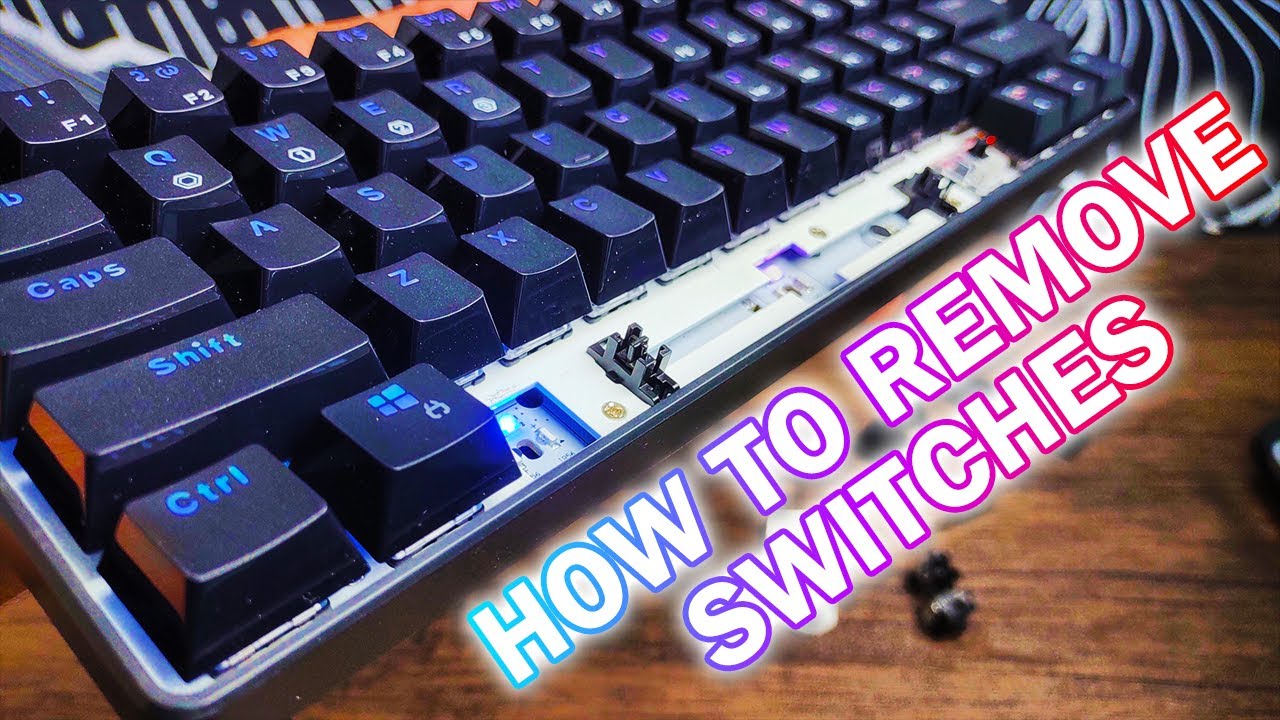
This guide covers everything: how to check if your keyboard supports DIY removal, which household items work best, step-by-step methods, and the mistakes you absolutely need to avoid.
1. Before You Start: Hot-Swap vs. Soldered Keyboards
This is the most important thing to know before you touch anything.
Hot-swap keyboards: let you pop switches in and out freely. The switches clip into sockets no glue, no solder, no permanent connection. These are the boards where you can safely remove switches without any special equipment.
Soldered keyboards: are different. The switch pins are melted directly onto the PCB (the circuit board inside). You cannot remove these switches without a soldering iron and a desoldering pump. Trying to yank them out will damage your board permanently.
Switch type also affects how a keyboard feels and sounds. If you’re comparing common switch types, see our guide to Blue vs Red Switch Keyboards for a detailed comparison of their feel, sound, and use cases.
1.1 How to tell which one you have
Flip your keyboard over and look at the back of the PCB, or simply remove one keycap and peer into the switch slot:
- Hot-swap: You’ll see a small metal socket with a distinct silver ring around each pin hole.
- Soldered: You’ll see small silver blobs (solder points) where the pins are fused to the board.
If you’re still unsure, check your keyboard’s product listing or manual. Most modern budget and enthusiast boards clearly state “hot-swap” in their features. Popular hot-swap boards include the Keychron K-series, Royal Kludge boards, and many Akko keyboards.
Important: Every method in this guide is for hot-swap keyboards only. If your board is soldered, stop here and either use a desoldering kit or take it to a professional.
2. What You’ll Need (No Store Trip Required)
You probably already have one of these at home:
- Paperclip: the best option by far. Easy to bend into the perfect shape.
- Bobby pin / hair pin: works almost as well, especially for tighter spots.
- Two toothpicks: takes a bit more coordination, but gets the job done.
- Earring post or thin pin: surprisingly effective for pressing individual clips.
- Spoon handle: useful for removing keycaps, not the switch itself.
- Thin card corner: a last resort, but it works in a pinch.
That’s it. No need to order anything online or wait for delivery.
3. Method 1: The Paperclip Method (Easiest and Most Reliable)
This is the closest thing to using an actual switch puller. A bent paperclip mimics the tool almost perfectly.
3.1 Step 1: Remove the keycap first
Before touching the switch, remove the keycap sitting on top of it. Grip the keycap firmly between your thumb and index finger and pull straight up. It should come off easily. If it’s stiff, slide a spoon handle under one edge and lever it gently upward.
Once the keycap is off, you’ll have a clear view of the switch body and the two small clip holes on its sides.
3.2 Step 2: Shape your paperclip
Straighten most of the paperclip out, then bend it into a U-shape so that two parallel prongs stick out about 1 centimeter apart. The gap should roughly match the width of the switch (MX-style switches are around 14–15mm wide).
You want both prongs to be equal in length about 5–7mm long. If one is longer than the other, the clips won’t release evenly.
3.3 Step 3: Insert both prongs into the side holes simultaneously
This is the critical step. Look at the sides of the switch you’ll see a small rectangular hole on both the left and right side. These are where the plastic clips sit that lock the switch into the socket.
Insert both prongs of your paperclip into these holes at the same time and press inward. You’ll feel a subtle resistance, and then both clips will release. Some switches give a small click when they let go.
3.4 Step 4: Pull straight up
While keeping both prongs pressed inward, pull the switch straight up. Use a slow, steady motion not a jerk or a tug. The switch should slide out cleanly.
If it doesn’t come out smoothly, don’t force it. Let go, reseat the prongs, and try again. Forcing a switch that’s still clipped will bend the pins.
4. Method 2: Bobby Pin / Hair Pin
A bobby pin works almost identically to a paperclip. The main difference is that it’s already shaped with two parallel arms which makes it convenient, though the arms may be slightly too wide for some switches.
- Open the bobby pin fully so both arms are parallel.
- If the gap is too wide, pinch it slightly so both tips fit into the clip holes.
- Insert both tips into the side holes simultaneously.
- Press inward and pull the switch straight up.
Bobby pins work especially well on larger switches or keyboards with more space between keys.
5. Method 3: Two Toothpicks
This method requires a little more coordination, but it’s a solid option when you don’t have metal items nearby.
- Hold one toothpick in each hand.
- Press both inward at exactly the same moment.
- Position the tip of each toothpick at one of the side clip holes.
- With both clips pressed, use your fingers to push the switch body upward.
The tricky part here is timing if you press one side before the other, the switch stays locked. Go slowly and make sure both tips are fully seated before pressing.
6. Method 4: Earring Post or Thin Pin
If you need to remove just one or two switches and have an earring or sewing pin nearby, this can work too.
- Use the thin post of an earring (or the point of a pin) to press one clip inward.
- While holding that clip down, use a second pin on the other side.
- Once both are pressed, lift the switch upward with your fingernails or a spoon edge.
It takes patience, but the results are the same as any other method.
7. Common Mistakes to Avoid
Most people damage their keyboard not because they used the wrong tool, but because they made one of these mistakes. If keyboard noise is one of the reasons you’re replacing your switches, you may also want to explore the best silent keyboard switches for quieter typing and gaming.
7.1 Pressing only one clip at a time:
This is the most common error. If you release only one clip and then try to pull, the switch will resist and eventually snap sideways bending the PCB pins in the process. Both clips must release simultaneously before you lift the switch.
7.2 Tilting the switch while pulling:
The pins at the bottom of the switch are thin and fragile. If you pull at an angle, those pins bend. Once bent, they may not seat properly in the socket again. Always pull perfectly straight up.
7.3 Skipping keycap removal:
Some people try to remove the switch with the keycap still attached. This adds extra height and makes it almost impossible to grip the switch body properly. Always remove the keycap first.
7.4 Using too much force:
Hot-swap switches are designed to come out without any serious effort. If you’re struggling, something is wrong either the clips aren’t fully released, or it’s a soldered board. More force is never the answer.
8. Pro Tips for a Smooth Experience
A few small things that make the whole process easier:
- Work in good lighting: The clip holes are small. You’ll save yourself a lot of frustration if you can actually see what you’re doing. A phone flashlight pointed at the keyboard helps a lot.
- Lay the keyboard flat: Don’t try to do this with the keyboard tilted or on your lap. A flat, stable surface gives you much better control.
- Tape a soft cloth under the keyboard: If a switch falls and bounces on a hard desk, it can crack the housing. A cloth or mousepad underneath prevents that.
- Note the switch position before removing: If you’re swapping multiple switches, take a photo first so you remember which switch was where.
- Work slowly: There’s no rush. The slower and more deliberate you are, the less likely you are to make a mistake.
9. Final Thoughts
Removing keyboard switches without a tool is really not complicated once you understand how the clips work. A paperclip is your best friend here it’s free, it’s already in most homes, and it does the job almost perfectly.
The one thing that separates a clean removal from a damaged board is patience. Press both clips, pull straight up, and go slowly. Do that, and your keyboard will thank you. If you plan to swap switches regularly, a dedicated switch puller costs around $5 and saves a lot of fiddling. But for a one-time swap? You’ve got everything you need right in your desk drawer.
10. FAQs
Yes on any hot-swap mechanical keyboard, a bent paperclip or bobby pin works just as well as a dedicated switch puller. The key is pressing both side clips at the same time.
Not if you do it correctly. Damage happens when you press only one clip, pull at an angle, or use force. Done right, the switch pops out cleanly every time.
Check the back of your PCB. Hot-swap sockets have a silver ring visible around each pin hole. Soldered boards show solder blobs instead. Your keyboard’s product page will also list this clearly.
The paperclip method hands down. A single paperclip bent into a U-shape lets you press both clips simultaneously, which is exactly what a real switch puller does.
Only if it’s hot-swap. Many gaming keyboards (especially budget ones) are soldered. Check your model specifically before trying.
Double-check that both clips are fully released. If it still won’t budge, it may be soldered. Do not force it.




- Be Respectful
- Stay Relevant
- Stay Positive
- True Feedback
- Encourage Discussion
- Avoid Spamming
- No Fake News
- Don't Copy-Paste
- No Personal Attacks
- Be Respectful
- Stay Relevant
- Stay Positive
- True Feedback
- Encourage Discussion
- Avoid Spamming
- No Fake News
- Don't Copy-Paste
- No Personal Attacks
