Mechanical vs Membrane Keyboard: Pros, Cons & Best Choice
Published: 15 Apr 2026
Keyboards are a fundamental interface for anyone using a computer. Although many users obsess over design or price, the underlying technology assists with typing comfort and accuracy, as well as long-term usability. But whether you’re a gamer, programmer, writer, or office worker, the keyboard you pick can affect your productivity and prevent hand fatigue or strain.
Two main types dominate the market: mechanical keyboards and membrane keyboards. Though both serve the same purpose, their internal mechanisms are very different. These differences affect typing feel, noise, durability, and overall performance.
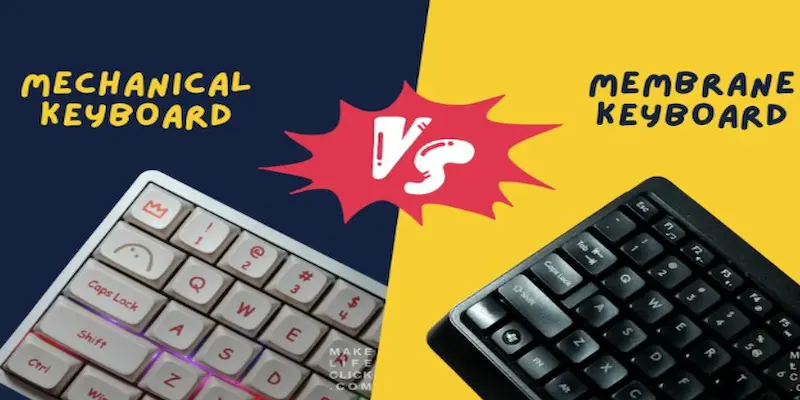
Understanding a mechanical vs membrane keyboard is crucial before buying. Mechanical keyboards are popular for tactile feedback and durability, while membrane keyboards are valued for quiet operation and affordability. In this guide, we will explain their working mechanisms, compare performance across various use cases, and provide actionable advice for choosing the best keyboard for your needs.
1. Quick Summary: Mechanical vs Membrane
- Mechanical Keyboards: Individual switches per key, providing tactile feedback, fast actuation, and high durability.
- Membrane Keyboards: Rubber dome layers register keypresses, producing a soft and quiet typing experience at a lower cost.
- Gaming & Heavy Typing: Mechanical keyboards outperform membrane keyboards due to precise and fast keystrokes.
- Casual Use & Office Work: Membrane keyboards are sufficient for browsing, writing emails, or light tasks.
- Lifespan: Mechanical keyboards are long-term investments; membrane keyboards wear faster and may require replacement.
2. Key Differences Between Mechanical and Membrane Keyboards
The main distinction lies in how keystrokes are registered.
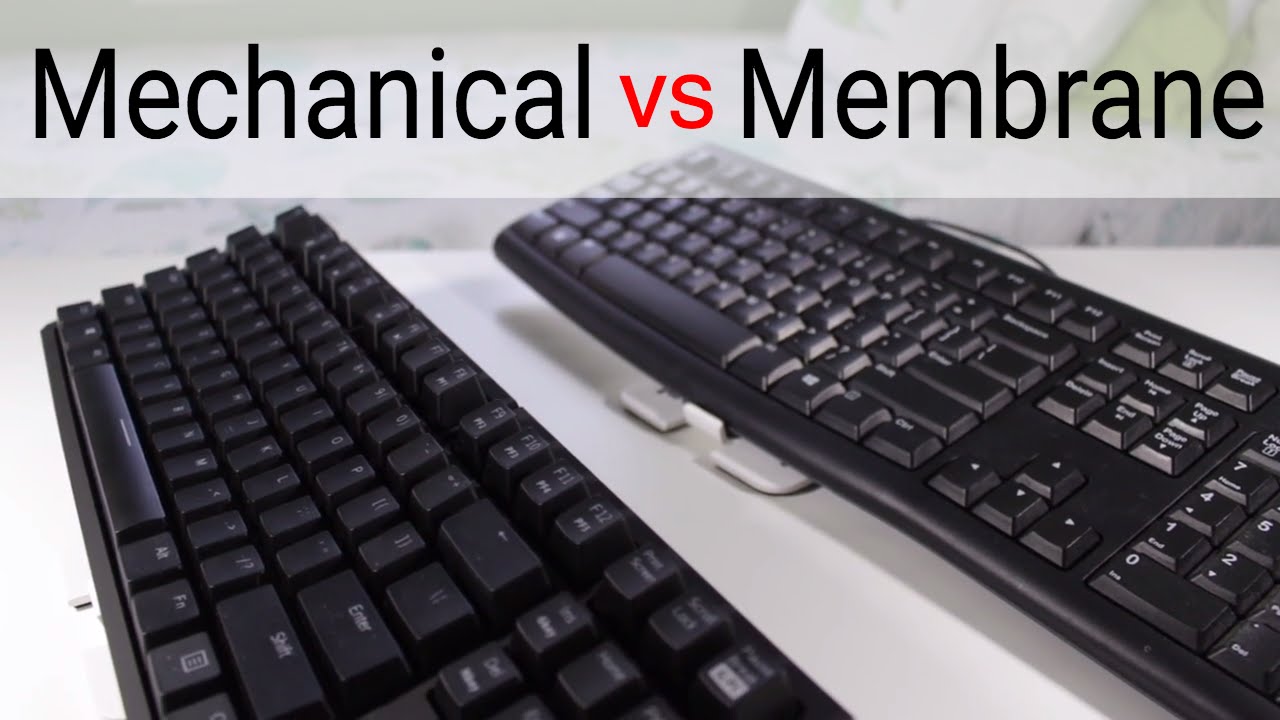
- Mechanical Keyboards: Each key contains a switch with moving parts. Pressing the key activates the switch, providing tactile feedback and often a distinct sound.
- Membrane Keyboards: Keys press rubber domes that push a conductive layer onto a circuit board. This produces a softer, quieter feel.
Real-world impact:
- Typing Speed: Mechanical keyboards allow faster typing for heavy users.
- Noise: Membrane keyboards are quieter, ideal for office environments.
- Durability: Mechanical keyboards can handle millions of keystrokes; membrane keyboards wear out faster.
3. How Mechanical Keyboards Work?
Mechanical keyboards use individual switches beneath each key. Each switch consists of:
- A spring to provide resistance
- Metal contacts that register the keystroke
Advantages:
- Tactile Feedback: Users feel when the key is pressed, improving accuracy.
- Fast Actuation: Keys register without pressing fully, ideal for gaming and fast typing.
- Durability: Switches are often rated for 50–80 million keystrokes.
Practical Scenario:
- Programmers: Benefit from reduced typing fatigue due to consistent feedback.
- Gamers: Quick actuation and anti-ghosting features improve performance in competitive play.
- Writers: Long typing sessions become comfortable due to tactile responsiveness.
4. How Membrane Keyboards Work?
Membrane keyboards rely on rubber domes and flexible membrane layers. When a key is pressed:
- The rubber dome collapses.
- The conductive pad touches the circuit layer.
- The keystroke registers.
Advantages:
- Quiet Operation: Ideal for shared or office spaces.
- Lower Cost: Affordable for casual users.
- Compact Design: Often thinner and lighter than mechanical keyboards.
Limitations:
- Softer feedback may feel mushy.
- Rubber domes wear over time, reducing responsiveness.
Practical Scenario:
- Office workers: Quiet typing is preferred for open spaces.
- Students: Budget-friendly keyboards are sufficient for daily use.
- Casual users: Browsing, social media, and emails don’t require mechanical performance.
5. Typing Feel and User Experience
Typing experience is critical. Mechanical keyboards provide tactile and audible feedback, enhancing typing speed and reducing errors. Membrane keyboards offer softer, quieter typing, which can feel less precise.
Example:
- Writing a 2,000-word document is faster on a mechanical keyboard due to actuation points.
- Quick office emails may feel more comfortable on a membrane keyboard because of the soft keys.
6. Durability and Lifespan
- Mechanical Keyboards: Switches rated for tens of millions of keystrokes. Keycaps and switches can often be replaced individually.
- Membrane Keyboards: Rubber domes wear out over time. Replacement usually requires a full keyboard.
For heavy users, mechanical keyboards are long-term investments. Membrane keyboards work for short-term or casual use.
7. Performance for Gaming and Office Work
7.1 Gaming
Mechanical keyboards provide:
- Fast key actuation
- Anti-ghosting (press multiple keys simultaneously)
- Stable and precise key feedback
Membrane keyboards are okay for casual games but lack the speed needed for competitive gaming.
7.2 Office Use
Membrane keyboards excel in:
- Quiet typing environments
- Budget-friendly setup
- Light typing tasks, such as emails or reports
Mechanical keyboards can also be used in offices, but may be louder.
8. Keyboard Build Quality and Stability
Keyboard rigidity affects comfort:
- Firm keyboards: Stable, consistent keystrokes, ideal for long sessions.
- Flexible keyboards: Softer feel, less precise, common in low-budget keyboards.
Many users ask is flex or firm keyboard better?; for extended use, firm keyboards are preferred.
9. Other Keyboard Technologies
9.1 What is a scissor keyboard?
Scissor keyboards use a stabilizing mechanism under the keys. Often found in laptops, they allow a thin design with stable key travel.
9.2 What’s a membrane
A membrane is a flexible internal layer that completes circuits when keys are pressed. Membrane keyboards are affordable and widely used.
10. Similarities between the Membrane Keyboard and the Mechanical Keyboard
- Both serve the same basic purpose of inputting keystrokes.
- Both can be connected to a computer or other device via USB, Bluetooth, or other connectivity options.
- Both can have a standard or ergonomic design, depending on the user’s preference.
- Both can have additional keys for multimedia controls, macros, or other functions.
- Both can have a variety of layouts, including QWERTY, AZERTY, and others.
11. Mechanical vs Membrane Keyboard Comparison Table
| Feature | Mechanical Keyboard | Membrane Keyboard |
| Typing Feel | Tactile and responsive; keys register even with a gentle press | Soft and smooth; keys need slightly more force to register |
| Key Mechanism | Each key has an individual mechanical switch | Keys press a rubber layer to complete the circuit |
| Durability & Lifespan | Very durable switches; last tens of millions of keystrokes | Rubber domes wear out faster; shorter lifespan |
| Noise Level | Produces audible clicks when typing | Quiet typing; minimal sound |
| Gaming Performance | Preferred for gaming due to tactile feedback and fast response | Suitable for casual gaming; less ideal for competitive gaming |
| Price | Expensive; long-term investment | Budget-friendly; economical option |
| Maintenance & Customization | Switches are sometimes replaceable; extensive customization with keycaps, switches, and backlighting | Usually replaced entirely; limited customization options |
| Actuation Force | Keys register with a gentle press | Keys require a firmer press to activate |
| Sound Feedback | Audible click on keypress | Minimal to no sound on keypress |
12. Who Should Choose Which Keyboard
Mechanical Keyboards
- Gamers needing fast response
- Programmers and writers typing for long hours
- Users seeking durability and precision
- People prefer tactile feedback
Membrane Keyboards
- Office workers in quiet environments
- Students and casual users
- Budget-conscious buyers
- Users preferring soft, quiet key presses
13. Choosing the Right Keyboard
Factors to consider:
- Use Case: Gaming, programming, writing, office tasks
- Budget: Mechanical keyboards cost more but last longer
- Typing Comfort: Tactile vs soft keys
- Durability: Mechanical keyboards last longer
Making the right choice improves comfort, efficiency, and long-term value.
14. Conclusion
Choosing the right keyboard can significantly impact your typing comfort, productivity, and overall experience. Mechanical keyboards offer tactile feedback, faster key actuation, and exceptional durability, making them ideal for gamers, writers, and professionals who spend long hours typing. On the other hand, membrane keyboards are quieter, lightweight, and more budget-friendly, which makes them suitable for casual users, students, and office environments where quiet typing is valued.When comparing both, it’s clear that the choice depends on your specific needs: if speed, accuracy, and long-term reliability matter most, a mechanical keyboard is the better option; if affordability, portability, and quiet operation are priorities, a membrane keyboard works well. Understanding the mechanical vs membrane keyboard differences helps you make an informed decision. Ultimately, select a keyboard that aligns with your typing style, work environment, and personal preferences to ensure comfort, efficiency, and satisfaction every time you sit down to type.
Yes, mechanical keyboards tend to produce more audible noise compared to membrane keyboards. This is because mechanical switches have a distinct audible click or clack sound when pressed, while membrane keyboards have a softer, quieter typing experience.
Absolutely, mechanical keyboards often come with replaceable keycaps, allowing you to personalize the look and feel of your keyboard. There’s a wide variety of keycap sets available in different colors, materials, and designs, giving you the freedom to customize to your liking.
Many people find mechanical keyboards more comfortable for typing longer documents or programming tasks. The tactile feedback from the mechanical switches can improve typing accuracy and reduce finger fatigue. However, personal preference plays a significant role, and some individuals may prefer the softer feel of membrane keyboards for extended typing sessions.
Yes, you can use a mechanical keyboard with your laptop or tablet. Many mechanical keyboards have universal serial bus (USB) or Bluetooth® connectivity options, allowing you to connect them to a wide range of devices, including laptops, tablets, and even smartphones. This versatility makes mechanical keyboards a popular choice for those who want a more satisfying typing experience on their portable devices.
Mechanical keyboards are known for their durability. The individual mechanical switches used in these keyboards are designed to withstand millions of keystrokes, making them highly durable and long-lasting. Membrane keyboards, while still reasonably durable, may wear out over time due to the gradual degradation of the rubber or silicone membrane beneath the keys.
Yes, mechanical keyboards are excellent for typing. They provide tactile feedback and precise key registration, which improves speed and accuracy. They are especially beneficial for long typing sessions, reducing finger fatigue.
For office work, a membrane keyboard is often better because it’s quiet and budget‑friendly. Its softer keypresses make it comfortable for everyday tasks like typing emails and documents. However, if you type extensively and want more feedback and durability, a quieter mechanical switch can also work well.
Membrane keyboards are generally more affordable than mechanical keyboards. Their simpler design and lower manufacturing cost make them a budget‑friendly choice. This makes them ideal for casual users, students, and basic office setups.




- Be Respectful
- Stay Relevant
- Stay Positive
- True Feedback
- Encourage Discussion
- Avoid Spamming
- No Fake News
- Don't Copy-Paste
- No Personal Attacks
- Be Respectful
- Stay Relevant
- Stay Positive
- True Feedback
- Encourage Discussion
- Avoid Spamming
- No Fake News
- Don't Copy-Paste
- No Personal Attacks
