How to Choose the Best Keyboard for Typing?
Published: 9 Apr 2026
Finding the best keyboard for typing can make a huge difference in your daily productivity and comfort. Whether you work from home, write long documents, code, or spend hours chatting online, the right keyboard helps reduce finger fatigue and improves typing speed. Many users in the US struggle with uncomfortable keys, noisy keyboards, or poor build quality that makes long typing sessions frustrating.
A good keyboard is not just for work. It also matters for a clean gaming setup, smooth keystrokes, and better desk ergonomics. The wrong keyboard can slow you down, while the right one can make typing effortless and enjoyable.

You’ll find the best keyboard for writers, including options for different budgets, switch types, and typing styles. We’ll also explain key features that matter most so you can choose confidently.
1. Best Keyboards for Typing in 2026
It depends on your budget, work style, and comfort needs. Some people type all day for work, while others use a keyboard for gaming, school assignments, or programming. Mechanical keyboards are often preferred for their tactile feedback and durability, while membrane and low-profile keyboards offer quieter and smoother typing for office environments.
Below are the most practical categories of typing keyboards used by professionals, students, and gamers in the US.
1.1 Best Upper Mid-Range Keyboard for Typing
Upper mid-range keyboards usually cost $120–$180 and provide premium typing comfort, better build quality, and long durability. These keyboards are common in remote work setups and professional offices.
A well-known example is the Das Keyboard 4 Ultimate, which is designed specifically for serious typists and programmers. It offers high-quality mechanical switches that provide satisfying tactile feedback and improved typing accuracy.
Another strong option is the Logitech G513 Carbon, which includes a comfortable wrist rest and a durable aluminum frame, making it suitable for long work sessions.
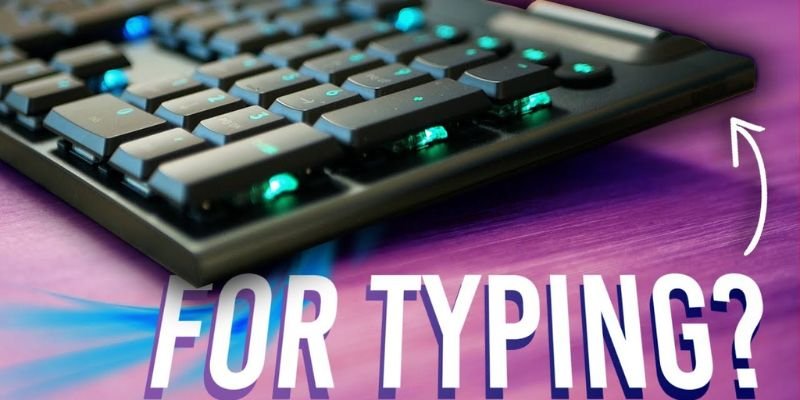
Why upper mid-range keyboards are popular:
- Strong aluminum or metal frame
- Mechanical switches for precise typing
- Durable keycaps that last for years
- Comfortable wrist support
1.2 Best Mid-Range Keyboard for Typing
Mid-range keyboards usually cost $70–$120 and offer an excellent balance between performance and affordability.
These keyboards are ideal for:
- Remote workers
- college students
- casual gamers
Many mid-range keyboards use mechanical switches or improved membrane technology to provide a smoother typing experience.
Typical features include:
- RGB lighting for gaming setups
- hot-swappable switches
- compact layouts (75% or TKL) that save desk space
- wireless connectivity
For example, modern keyboards like Keychron models or similar mechanical boards provide excellent typing feedback while remaining affordable for everyday users. Many of these keyboards support customization and multiple connectivity options.
1.3 Best Budget Keyboard for Typing
Budget keyboards usually cost $40–$70 and are designed for basic productivity tasks such as email, documents, and browsing.
Even in this price range, some mechanical keyboards still deliver strong typing performance. For example, affordable keyboards like Keychron C3 Pro provide comfortable tactile switches at a low cost.
Common features in budget keyboards
- basic mechanical or membrane switches
- wired connection
- simple backlighting
- durable plastic frame
1.4 Best Cheap Keyboard for Typing
Cheap keyboards typically cost under $40 and focus on basic usability rather than advanced features.
Many offices in the US use simple membrane keyboards because they are:
- quiet
- inexpensive
- easy to replace
A good example is the Cherry Stream Wireless keyboard, which offers comfortable low-profile keys and long battery life, making it suitable for everyday office work.
Best for
- schools and libraries
- shared office workstations
- basic home computers
1.5 Best Low-Profile Keyboard for Typing
Low-profile keyboards are designed with shorter key height and shorter travel distance, similar to laptop keyboards. These keyboards are excellent for users who want faster and quieter typing.
They are commonly used by:
- office professionals
- writers
- minimal desk setup users
Low-profile designs reduce wrist strain and create a cleaner workspace. Many modern models also support wireless connectivity and multi-device pairing.
Advantages of low-profile keyboards
- shorter key travel for faster typing
- quieter operation
- more ergonomic wrist position
- sleek modern design
keyboards like Logitech MX Keys-style models or slim mechanical keyboards are popular among remote workers who type for hours each day. Modern keyboard reviews often highlight slim designs as ideal for productivity setups.
1.6 Keyboard Category Comparison
| Category | Price Range | Best For | Typical Users |
| Upper Mid-Range | $120–$180 | Premium typing comfort | Programmers, writers |
| Mid-Range | $70–$120 | Balanced performance | Students, remote workers |
| Budget | $40–$70 | Affordable productivity | Office employees |
| Cheap | Under $40 | Basic typing tasks | Schools, shared PCs |
| Low-Profile | $80–$150 | Fast and quiet typing | Writers, minimal setups |
2. Best Mechanical Keyboards for Typing
Mechanical keyboards are often the top choice for serious typists because they provide better feedback, durability, and typing accuracy compared to standard membrane keyboards. Instead of rubber domes, mechanical keyboards use individual switches under each key, making every keystroke more precise and responsive.

For people who type a lot—such as office workers, programmers, writers, or students—this can significantly improve speed and reduce typing fatigue. Mechanical switches also last much longer, often rated for tens of millions of keystrokes, making them ideal for heavy daily use.
2.1 Das Keyboard 4 Ultimate
It is designed for people who take typing seriously. It is widely used by developers, writers, and power users who want a clean and distraction-free typing experience.
One unique feature is its blank keycaps. The keys do not show letters, which encourages touch typing and helps improve typing accuracy over time. It uses Cherry MX mechanical switches, which provide tactile feedback and reliable keystrokes for long typing sessions.
The keyboard also includes an anodized aluminum top panel, making it durable and professional-looking. A large volume knob and dedicated media controls allow users to quickly adjust audio during meetings or video calls.
Key features
- Cherry MX mechanical switches for tactile typing feedback
- Durable aluminum top panel
- Dedicated media controls and a large volume knob
- Two-port USB 3.0 hub for connecting devices
- N-key rollover for accurate key registration
Real-life example
- A software developer in Seattle writing code for hours every day benefits from the tactile switches that provide precise feedback.
- A remote content writer in New York can type quickly and accurately without looking at the keyboard thanks to the blank keycaps.
2.2 Logitech G513 Carbon GX Red Linear RGB USB
The Logitech G513 Carbon is a mechanical keyboard designed for users who want a balance between gaming performance and typing comfort.
It features GX Red Linear mechanical switches, which provide smooth keystrokes with minimal resistance. Linear switches are especially popular among gamers because they allow faster key presses, but they also feel smooth for typing long documents.
The keyboard also has LIGHTSYNC RGB lighting, which allows users to customize each key’s color. The aluminum-magnesium top case gives the keyboard a premium look and solid build quality.
Another standout feature is the memory foam palm rest, which helps reduce wrist strain during long typing or gaming sessions.
Key features
- GX Red linear mechanical switches for smooth typing
- Per-key customizable RGB lighting
- Aircraft-grade aluminum build
- Comfortable detachable memory-foam palm rest
- USB passthrough port for connecting devices
3. Keyboards for Learning and Training Touch Typing
Learning touch typing means typing without looking at the keyboard while using all ten fingers. This skill is important for students, office workers, and anyone who types daily. Specialized training keyboards help users learn the correct finger positions and develop muscle memory faster.
For example, many US schools, typing courses, and computer training centers use dedicated typing keyboards to teach proper typing techniques.
3.1 Logickeyboard Touch Typing Keyboard
The Logickeyboard Touch Typing Keyboard is designed specifically for beginners learning touch typing. It uses color-coded keys to guide finger placement, helping users understand which finger should press each key. This visual guidance improves typing speed and accuracy over time.
This keyboard is commonly used in:
- schools and typing classes
- computer training centers
- home learning setups
Key features
- Color-coded keys for proper finger positioning
- Helps develop muscle memory and typing accuracy
- Full-size keyboard layout for realistic practice
- Plug-and-play USB connection
- Durable design for everyday learning use
Real-life example
- A middle school student in California, learning typing skills, can quickly understand finger placement using the color-coded layout.
- An adult learner taking an online typing course may also benefit from the guided key layout during daily practice.
3.2 Logickeyboard BlindTouch Typing Keyboard
The Logickeyboard BlindTouch Typing Keyboard is built for advanced typing practice. Unlike regular keyboards, many versions remove printed letters from keys, forcing users to rely completely on touch typing skills.
This method strengthens muscle memory and reduces the habit of looking at the keyboard.
Key features
- Helps develop faster typing speed
- Encourages true touch typing without visual assistance
- Reduces typing errors through consistent practice
- Durable USB keyboard for everyday use
Real-life example
- A college student in New York practicing for programming classes can use a BlindTouch keyboard to improve typing speed.
- A data entry worker in Texas might use it to train for faster typing during long work sessions.
4. Mechanical Keyboard vs Membrane Keyboard for Typing
When choosing a typing keyboard, one of the most common questions is whether mechanical or membrane keyboards are better.
The main difference lies in the switch technology used to register a key press.
4.1 Key Differences
Mechanical keyboards use individual mechanical switches under each key, while membrane keyboards rely on rubber dome layers that activate when pressed.
Mechanical switches typically last 20–50 million keystrokes or more, whereas membrane keyboards usually last around 5–10 million keystrokes.
Mechanical keyboard advantages
- Strong tactile feedback
- Faster and more accurate typing
- Long lifespan (50M+ keystrokes)
- Customizable switches and keycaps
Membrane keyboard advantages
- Quieter typing
- Lower cost
- Lightweight and compact
4.2 Which One Is Better for Typists?
The best option depends on how you use your keyboard.
Mechanical keyboards are better for
- programmers
- writers and journalists
- gamers who need a fast response
Example: A software engineer in Silicon Valley typing code all day may prefer a mechanical keyboard for its precise feedback.
Membrane keyboards are better for
- office environments that require quiet typing
- students on a tight budget
- casual computer users
Example: A customer support employee working in a shared office may choose a membrane keyboard because it produces less noise.
5. How to Choose the Best Keyboard for Typing
Selecting the best typing keyboards involves more than just price. Comfort, switch type, and layout all play a major role in typing performance.
5.1 Key Switch Types
Different switch types affect how a keyboard feels when typing.
Common mechanical switch types
- Linear switches – smooth and quiet (popular for gaming)
- Tactile switches – small bump feedback for typing accuracy
- Clicky switches – audible click sound with strong feedback
Example: A content writer working from home in Chicago may prefer tactile switches for comfortable long-form typing.
5.2 Keyboard Layout and Ergonomics
Keyboard layout also impacts comfort and productivity.
Common layouts
- Full-size keyboard (with number pad)
- Tenkeyless (TKL) layout
- Compact layouts (60% or 75%)
Ergonomic designs may include:
- split keyboards
- wrist rests
- adjustable tilt
Example: A remote worker using a standing desk setup may prefer an ergonomic keyboard to reduce wrist strain.
5.3 Build Quality and Comfort
Build quality determines how long a keyboard lasts and how comfortable it feels.
Important factors include:
- aluminum or reinforced plastic frame
- high-quality keycaps
- wrist support
- stable key switches
Example: A graduate student writing long research papers will benefit from a keyboard with comfortable key travel and solid build quality.
6. Conclusion: Which Keyboard Is Best for Typing?
Choosing the best keyboard for typing depends on your work style, comfort needs, and budget. People who type for long hours—such as writers, programmers, or office workers—need a keyboard that offers responsive keys and good ergonomics. A comfortable keyboard can improve typing speed and reduce finger fatigue during daily tasks like writing emails, reports, or documents.
For heavy typing tasks, mechanical keyboards are usually the best option because they provide better feedback, durability, and typing accuracy. However, low-profile or membrane keyboards can also be a good choice for quiet offices or shared workspaces where noise needs to be minimal.Ultimately, the right keyboard feels comfortable and fits your daily routine. By considering factors like switch type, keyboard layout, and build quality, you can choose a keyboard that improves productivity and makes long typing sessions easier.
7. FAQs
1. Looking for a good typing keyboard?
A good typing keyboard should have comfortable keys, responsive switches, and a durable build. Mechanical keyboards with tactile switches are often preferred for long typing sessions. They help improve typing accuracy and reduce finger fatigue.
2. What Are Good Keyboard Brands Nowadays?
Some popular keyboard brands today include Logitech, Keychron, Das Keyboard, Corsair, and Razer. These brands are known for their build quality, reliable switches, and ergonomic designs. They offer keyboards suitable for both typing and gaming setups.
3. Struggling to learn touch typing – need advice on good keyboards and unlearning bad habits?
Start with a full-size keyboard that has clear key spacing and comfortable switches. Practice using typing tools while keeping your fingers on the home row keys. Consistent daily practice helps break bad typing habits and improve speed.
4. Best keyboard for everyday work! Fancy ones with a great feel while typing?
For everyday work, keyboards with tactile mechanical switches provide a smooth typing experience. They are great for writing emails, reports, and documents. A keyboard with wrist support can also improve comfort during long work hours.
5. Planning my next keyboard for 2026, what should I be looking at?
Look for keyboards with durable switches, ergonomic design, and good build quality. Wireless connectivity and multi-device support are also useful for modern workstations. Choosing the right switch type is important for typing comfort.
6. Best Keyboard for (under 150 USD) for typing all day without getting so tired?
Keyboards under $150 often include high-quality mechanical switches and good ergonomics. Tactile switches are ideal because they give feedback without requiring too much force. A wrist rest can also help reduce hand fatigue.
7. What’s the best mechanical keyboard that feels amazing to type on but doesn’t turn into a noisy mess?
Mechanical keyboards with silent or linear switches are a good option. They provide smooth typing without loud clicking sounds. These keyboards work well in offices or shared workspaces.
8. Which keyboard do you recommend?
A mechanical keyboard with tactile switches is a strong choice for most users. It offers good typing feedback, durability, and comfort. Many professionals prefer these keyboards for daily work and long typing sessions.




- Be Respectful
- Stay Relevant
- Stay Positive
- True Feedback
- Encourage Discussion
- Avoid Spamming
- No Fake News
- Don't Copy-Paste
- No Personal Attacks
- Be Respectful
- Stay Relevant
- Stay Positive
- True Feedback
- Encourage Discussion
- Avoid Spamming
- No Fake News
- Don't Copy-Paste
- No Personal Attacks
