Best Keyboard for Programming: Smart Choice for Developers
Published: 9 Apr 2026
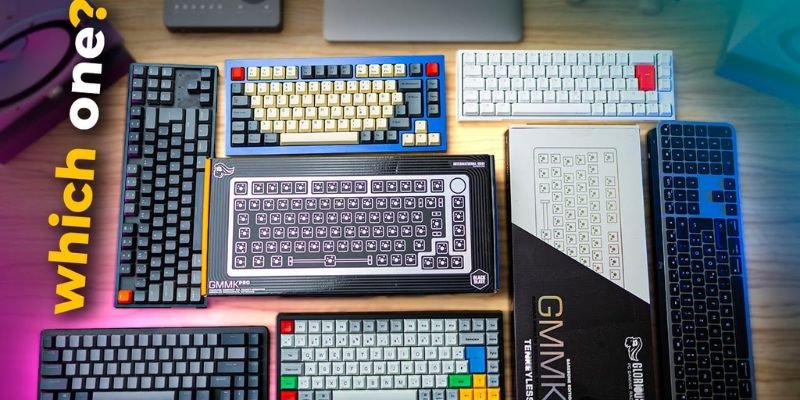
Choosing the best keyboard for programming can make a huge difference in your coding efficiency, comfort, and productivity. Whether you’re a professional software engineer, a college student learning to code, or a remote worker typing for hours, the right keyboard affects your typing speed, accuracy, and overall experience.
Many programmers in the US struggle with long coding sessions on standard keyboards. Keys may feel mushy, typing can be noisy, or shortcuts may be hard to reach. A high-quality programming keyboard solves these issues by providing tactile feedback, faster key response, and ergonomic design.
In this guide, you’ll discover the most suitable keyboards for beginners and advanced developers alike. We’ll cover mechanical and membrane options, switch types, layouts, ergonomics, and real-world use cases. By the end, you’ll know exactly which keyboard fits your workflow, whether it’s for office work, home coding, gaming, or intensive typing sessions.
1. Why Choosing the Right Best Keyboard for Coding Matter?
Your keyboard is more than a typing tool it’s a productivity engine. Using the wrong keyboard can lead to fatigue, slower typing, and even discomfort during long coding sessions.
1.1 How Keyboard Choice Affects Productivity and Comfort
- Ergonomics: Reduce strain on wrists and fingers with split or angled keyboards.
- Typing Feedback: Mechanical switches prevent typos with tactile or clicky responses.
- Speed and Accuracy: Faster response times improve coding, debugging, and multi-key shortcuts.
Example Use Cases:
- Office-based developer: Needs a quiet keyboard for coding during video calls.
- College student: Clear key feedback prevents typing errors while learning programming.
- Freelance developer: Compact, ergonomic keyboard optimizes desk space.
2. Understanding Keyboard Types for Programming
Not all keyboards are created equal. The best programming keyboard affects typing speed, accuracy, and comfort.
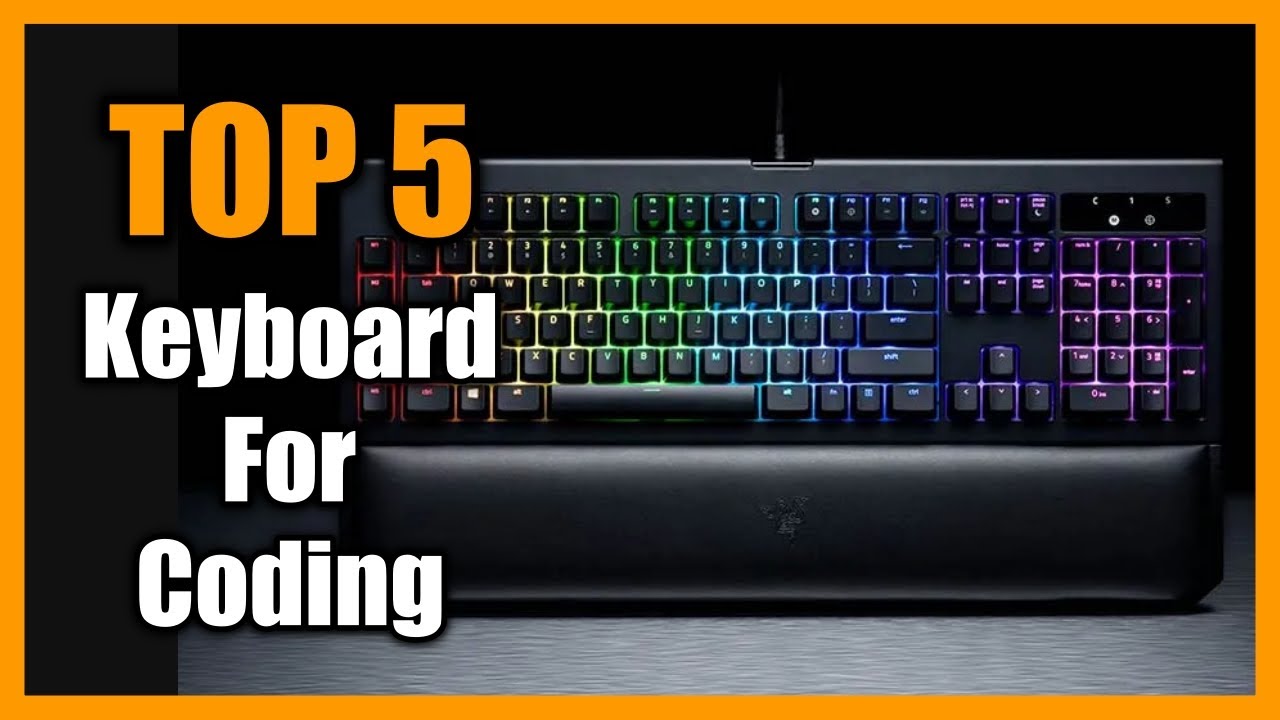
2.1 Mechanical Keyboards – Durability and Precision
- Each key has its own dedicated switch for consistent feedback.
- Durability: 50+ million keystrokes.
- Tactile Feedback: Red, Blue, or Brown switches.
- Customization: Hot-swappable switches and programmable keys.
Example:
A software engineer in San Francisco prefers Blue switches for clear typing feedback.
2.2 Membrane and Hybrid Keyboards
- Budget-friendly, quieter typing.
- Less precise feedback, shorter lifespan.
- Best for students or beginners.
2.3 Low-Profile and Tenkeyless Keyboards
- Compact, portable, saves desk space.
- Ideal for: Remote developers or small workstations.
2.4 Silent Keyboards
- Mechanical or hybrid with dampened keys.
- Perfect for shared offices or home environments.
3. Key Features of Best Keyboards for Coding
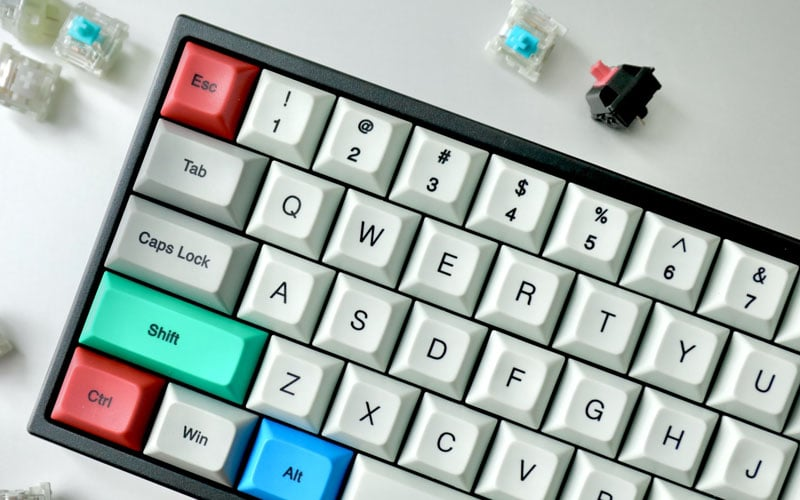
3.1 Key Switch Types and Advantages
- Linear (Red): Smooth and quiet, fast typing.
- Tactile (Brown): Gentle bump, reduces errors.
- Clicky (Blue): Loud feedback, confirms keystrokes.
3.2 Layouts and Form Factors
- Full-size: Number pad, function keys; best for spreadsheets and shortcuts.
- TKL: Saves desk space, easier mouse positioning.
- 60% keyboards: Portable but limited function keys.
3.3 Backlighting, Macro Keys, and Customization
- Backlighting: Helpful for low-light coding.
- Macro Keys: Automate repetitive IDE commands.
- Hot-swappable switches: Customize typing feel.
3.4 Build Quality and Durability
- Aluminum frames, PBT keycaps, and heavy keyboards improve longevity.
- Example: Freelance programmers notice fewer missed keystrokes with high-quality mechanical keyboards.
4. Best Keyboard Brands and Models for Programmers
4.1 Mechanical Keyboard Recommendations
- Keychron K8/K2: Hot-swappable, wireless, Mac/Windows compatible.
- Das Keyboard 4 Professional: High-quality Blue switches, media controls.
- Varmilo VA87M: Quiet tactile switches, PBT keycaps.
4.2 Budget-Friendly Options
- Redragon K552 Kumara: Compact TKL, clicky or tactile switches.
- Tecware Phantom: Hot-swappable, RGB lighting.
4.3 Premium Keyboards
- Leopold FC660M/FC750R: Silent tactile options, solid keycaps.
- Drop CTRL / ALT / SHIFT: Fully programmable, hot-swappable.
4.4 Ergonomic and Silent Options
- Kinesis Advantage2: Split design reduces wrist strain.
- Logitech MX Mechanical Mini: Quiet tactile switches, wireless.
5. Comparison of Best Keyboards for Programming
5.1 Feature Comparison Table
| Keyboard | Switch Type | Layout | Noise Level | Price | Best For |
| Keychron K8 | Hot-swappable Red/Brown/Blue | TKL | Moderate | $89–$99 | Wireless coding, hybrid Mac/Windows setups |
| Das Keyboard 4 | Cherry MX Blue | Full-size | Loud | $169 | Fast typists, long coding sessions |
| Varmilo VA87M | Cherry MX Brown | TKL | Quiet | $139 | Office work, quiet home coding |
| Redragon K552 | Outemu Blue | TKL | Loud | $45 | Budget mechanical, students, beginners |
| Drop CTRL | Hot-swappable | TKL | Moderate | $169 | Programmers needing macros, custom layouts |
5.2 Real-World Use Cases
- Office & remote work: Varmilo VA87M or Keychron K8
- Gaming + coding: Red switches for fast actuation
- Students/beginners: Redragon K552
- Custom workflows: Drop CTRL with macros
6. Buying Considerations for Programmers
6.1 Ergonomics and Comfort
- Split or angled keyboards reduce strain.
- Wrist rests prevent fatigue.
- Switch resistance should match typing style.
6.2 Durability and Build Quality
- Mechanical switches last 50+ million keystrokes.
- PBT keycaps resist shine and wear.
- Aluminum frames increase stability.
6.3 Connectivity Options
- Wired for zero latency; wireless for flexibility.
- Bluetooth or 2.4GHz low-latency options recommended.
6.4 Price vs Performance
- Budget ($40–$80): Students/beginners
- Mid-range ($80–$150): Solid mechanical options
- Premium ($150+): Fully customizable, ergonomic, and durable
7. Real-World Use Cases
- Office & Remote Work: Quiet tactile keyboards like Varmilo VA87M.
- Gaming + Coding Combo: Keychron K8 Red switches.
- Students & Beginners: Redragon K552 for portability and affordability.
- Heavy Typing Tasks: Das Keyboard 4 Blue switches for tactile feedback.
8. Troubleshooting and Maintenance
8.1 Common Keyboard Issues
- Sticky/unresponsive keys, missed or double presses, connectivity issues, and firmware glitches.
8.2 Cleaning and Maintenance
- Remove keycaps, use compressed air, and lubricate switches.
- Prevent liquid spills and clean monthly.
8.3 Firmware and Software Updates
- Update macro software and firmware for reliable performance.
- Adjust RGB or programmable keys for coding efficiency.
9. Conclusion
Choosing the best keyboard for programming depends on your workflow, typing habits, and environment. Mechanical keyboards with tactile or clicky switches are ideal for long coding sessions, offering durability, accuracy, and comfort. Linear switches are great for fast typing and dual-purpose gaming setups, while quieter or ergonomic options suit shared offices and remote work.
By considering switch type, layout, ergonomics, durability, and connectivity, programmers in the US can select a keyboard that boosts productivity and reduces fatigue. Whether you’re a student, office professional, or seasoned developer, the right keyboard enhances your coding experience, making typing faster, more precise, and comfortable for hours.
Keyboards come in different types, each designed for specific needs like gaming, programming, and everyday use. Learn more about their features, benefits, and differences in our Ultimate Guide to Keyboard Types.
10. FAQs
Tactile switches like Cherry MX Brown or Blue reduce typing errors and are comfortable for long coding sessions.
No, but mechanical keyboards improve typing speed, accuracy, and durability. Many US programmers prefer them for long hours.
Yes, wireless keyboards with low-latency Bluetooth or 2.4GHz connections offer flexibility and clean setups.
Tenkeyless (TKL) or full-size layouts; TKL saves desk space, full-size provides a number pad and shortcuts.
RGB lighting helps coding in low-light environments and highlights important keys without affecting performance.
Use ergonomic keyboards, wrist rests, and switches with moderate resistance. Split or angled layouts reduce wrist strain.
Yes, mechanical gaming keyboards with fast switches and programmable macros are excellent for coding.8. Are compact keyboards better for developers?Compact layouts like 60% or TKL save desk space and allow faster mouse movement, ideal for students or small workstations.




- Be Respectful
- Stay Relevant
- Stay Positive
- True Feedback
- Encourage Discussion
- Avoid Spamming
- No Fake News
- Don't Copy-Paste
- No Personal Attacks
- Be Respectful
- Stay Relevant
- Stay Positive
- True Feedback
- Encourage Discussion
- Avoid Spamming
- No Fake News
- Don't Copy-Paste
- No Personal Attacks
