TKL vs Full-Size Keyboards – Which Is Best for Gaming
Published: 23 Apr 2026
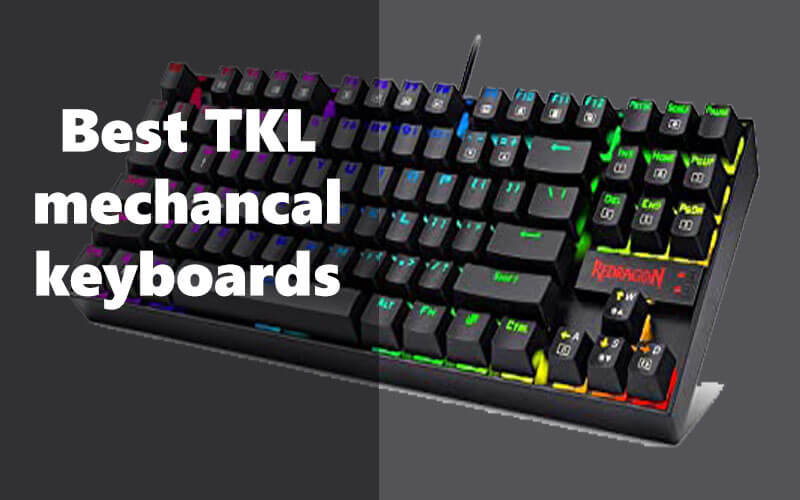
TKL vs full size keyboard is an important comparison that can help you choose a keyboard that fits your workspace and typing needs. Many people face common issues like limited desk space, uncomfortable typing positions, or bulky keyboards that make gaming and work setups harder to manage. A full-size keyboard includes every key, including the numeric keypad, while a tenkeyless layout removes the number pad to create a smaller and more compact design.
In this guide on TKL vs full size keyboard, you’ll learn how these two keyboard layouts compare in terms of size, typing comfort, gaming performance, and overall usability. We’ll also explore which option works better for work-from-home setups, coding tasks, and everyday typing. By the end, you’ll have a clear understanding of which keyboard layout best matches your workflow and desk setup, helping you create a more comfortable and efficient typing experience.
1. Keyboard Sizes Explained
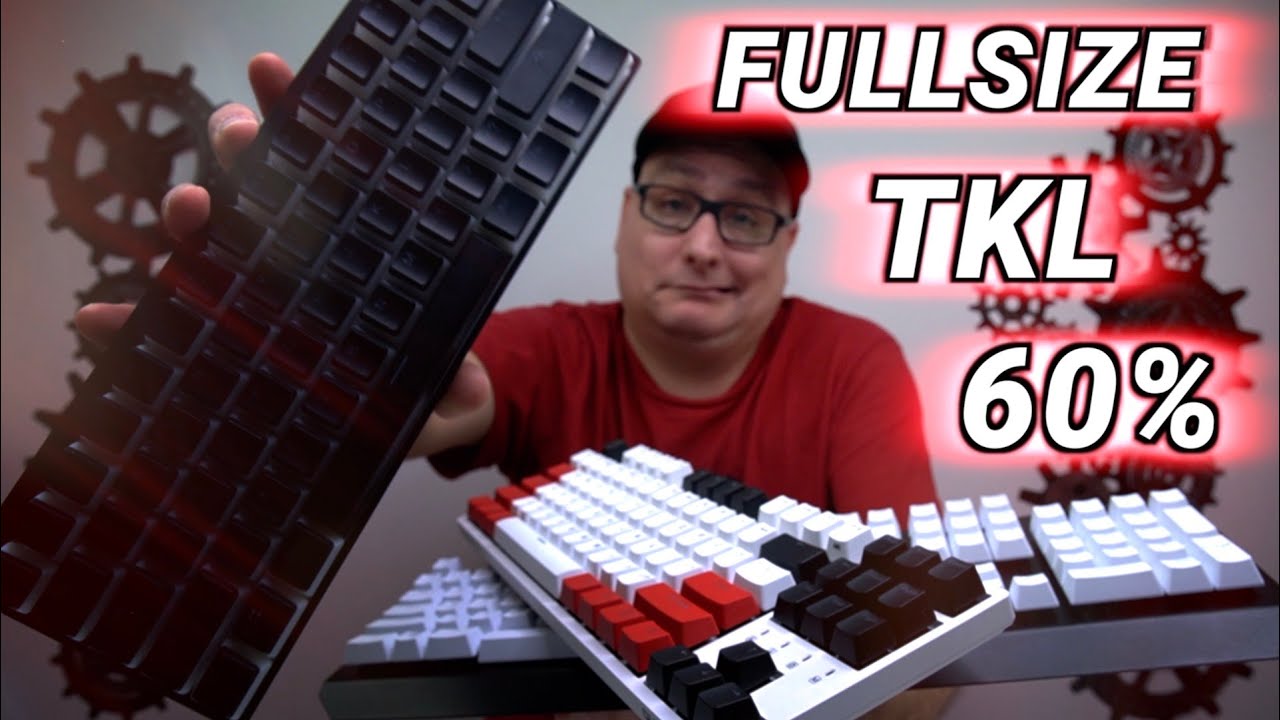
Keyboard sizes are usually defined by the percentage of keys they retain compared to a traditional full-size keyboard. A standard keyboard has about 104 keys, including the number pad, function row, arrow keys, and navigation cluster.
Compact keyboards remove certain sections to save desk space while still maintaining functionality through shortcuts and layers.
The most common all keyboard sizes include:
- Full-Size (100%)
- Compact 96%
- TKL (TenKeyLess / 80%)
- 75%
- 60%
Each size offers a different balance between functionality, space, and portability.
2. Anatomy of a Keyboard
To understand keyboard sizes better, it helps to know the main sections of a keyboard:
- Alphanumeric section:
The main typing area with letters, numbers, and punctuation keys. - Function row:
The row of keys labeled F1–F12 is used for shortcuts and system commands. - Navigation cluster:
Keys like Insert, Home, Page Up, Delete, End, and Page Down. - Arrow keys:
Used for navigation in documents and games. - Numpad:
A dedicated numeric keypad for fast number entry.
Different keyboard sizes remove or combine these sections to create a smaller layout.
3. What Size Keyboard Should I Buy?
The best keyboard sizes chart depends on your usage:
- Office work or data entry: Full-size or 96%
- Programming and productivity: TKL or 75%
- Gaming: 60% or TKL
- Minimal desk setups: 60% or 75%
Your available desk space, typing habits, and need for extra keys will help determine the right option.
4. Full-Size Keyboard (100%)
A full-size keyboard includes every standard key: the number pad, navigation cluster, arrow keys, and function row. It’s the traditional layout most people are familiar with.
These keyboards are widely used in offices and professional environments.
5. Should You Buy a Full-Size Keyboard?
If you frequently work with spreadsheets, accounting software, or large datasets, a full-size keyboard is usually the best choice.
5.1 Strengths
• Complete set of keys
• Dedicated number pad for fast data entry
• Comfortable for office and productivity tasks
• No need to learn extra shortcuts
5.2 Weaknesses
• Takes up a lot of desk space
• Less ergonomic for gaming due to the mouse distance
• Not portable
6. Compact 96% Keyboard
A 96% keyboard keeps almost all the keys of a full-size layout but arranges them more tightly. The number pad is still included, but the spacing between sections is reduced.
This design saves space while preserving most functionality.
7. Should You Buy a Compact 96%?
This layout is perfect if you want a number pad but also need to save desk space.
7.1 Strengths
• Nearly full functionality
• Smaller footprint than full-size
• Still includes a numpad
• Good balance between productivity and space
7.2 Weaknesses
• Slightly cramped layout
• Can take time to adjust to the tighter key placement
8. TKL (TenKeyLess or 80%)
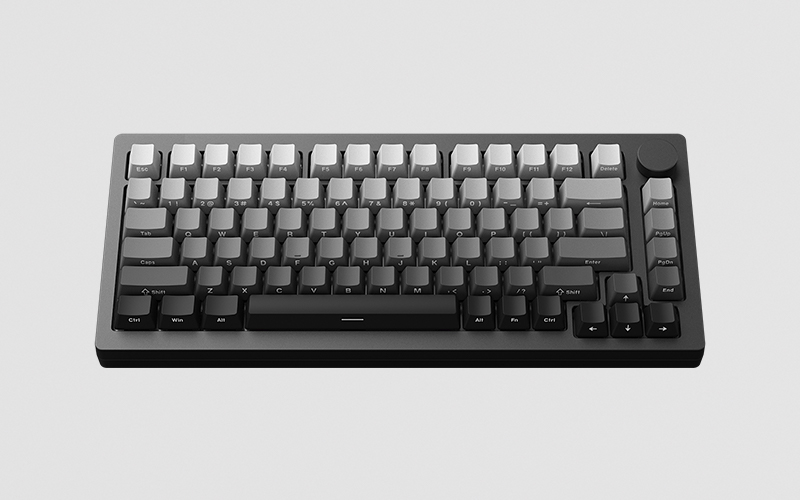
A TKL keyboard removes the number pad but keeps the function row, arrow keys, and navigation cluster.
This is one of the most popular keyboard sizes for both professionals and gamers.
9. Should You Buy a TKL (80%) Keyboard?
If you don’t need a number pad but still want a familiar layout, TKL is a great option.
9.1 Strengths
• More compact than full-size
• Keeps important navigation keys
• More ergonomic mouse position for gaming
• Widely available in many designs
9.2 Weaknesses
• No number pad
• Less ideal for heavy numeric work
10. Compact 75% Keyboard
A 75% keyboard compresses the TKL layout even further. It keeps the function row and arrow keys but removes most spacing between key groups.
These keyboards are compact while still providing essential functionality.
11. Should You Buy a 75% Keyboard?
A 75% keyboard is ideal if you want a smaller desk setup without losing function keys.
11.1 Strengths
• Compact but still functional
• Includes function row and arrows
• Saves desk space
• Great for programming and general work
11.2 Weaknesses
• Navigation keys may feel crowded
• Layout differences can take time to learn
12, Compact 60% Keyboard
A 60% keyboard removes the function row, navigation cluster, and number pad. It keeps only the main typing keys.
Extra functions are accessed using keyboard layers or shortcuts.
13. Should You Buy a 60% Keyboard?
This layout is popular among gamers, minimalists, and people who travel with their keyboards.
13.1 Strengths
• Extremely compact
• More desk space for mouse movement
• Highly portable
• Minimalist design
13.2 Weaknesses
• Missing many dedicated keys
• Requires learning shortcuts
• Not ideal for productivity tasks
14. TKL vs Full-Size Keyboards: Difference
| Feature | TKL Keyboard (Tenkeyless) | Full-Size Keyboard |
| Keyboard Size | Compact layout (about 80% of full size) | Standard large layout |
| Number of Keys | Usually 87–88 keys | Usually 104–108 keys |
| Numeric Keypad | Not included | Included on the right side |
| Desk Space | Takes less desk space | Requires more desk space |
| Portability | Easier to carry and travel with | Less portable due to larger size |
| Mouse Movement | More space for mouse movement (great for gaming) | Less mouse space |
| Typing Experience | Similar typing feel but without a numpad | Full typing experience with all keys |
| Best For | Gamers, programmers, minimal desk setups | Data entry, accounting, office work |
| Price Range | Usually $50 – $200 | Usually $60 – $250 depending on brand and features |
| Main Advantage | Compact, ergonomic, more desk space | Complete functionality with numpad |
| Main Limitation | No dedicated number pad | Larger and heavier design |
15. Other Keyboard Sizes
Besides the common layouts, there are also some unique keyboard sizes designed for specific purposes.
15.1 Smaller Sizes
Some keyboards are even smaller than 60%, such as:
• 40% keyboards
• Ortholinear keyboards
These layouts remove even more keys and rely heavily on layers.
15.2 Bigger Sizes
There are also larger keyboards like:
• Full-size with macro keys
• Extended gaming keyboards
These keyboards offer additional programmable buttons for advanced users.
16. What Keyboard Size is Best for Gaming?
For gaming, desk space and mouse movement are very important.
Best gaming keyboard sizes:
• 60%: Maximum mouse space and portability
• TKL: Great balance between function and space
• 75%: Compact with useful extra keys
Many competitive gamers prefer TKL or 60% keyboards because they allow more comfortable mouse positioning.
Conclusion
Choosing between a TKL and a full-size keyboard ultimately depends on your workspace, typing habits, and daily tasks. Full-size keyboards are ideal for users who frequently work with numbers, spreadsheets, or data entry because they include a dedicated numeric keypad. On the other hand, tenkeyless keyboards offer a more compact design that saves desk space and allows better mouse positioning, making them popular for gaming setups and work-from-home desks.
Both keyboard layouts provide excellent typing performance, but the right choice comes down to convenience and comfort. If you prefer a cleaner, more portable setup, a compact layout may suit you better. If productivity tasks require frequent number input, a full-size keyboard is the practical option. Understanding these differences helps you create a keyboard setup that improves comfort, efficiency, and overall workflow.
FAQs
No, a 75% keyboard is not the same as a TKL keyboard. A 75% layout keeps most keys but places them closer together to save space. TKL keyboards remove the number pad but keep a more traditional key spacing.
A full-size keyboard is better for users who frequently use the numeric keypad, such as for data entry or spreadsheets. It offers all keys and maximum functionality. However, it takes more desk space than compact layouts.
Yes, an 80% keyboard is generally the same as a TKL keyboard. Both remove the numeric keypad but keep the function keys and navigation keys. They usually have around 87 keys.
Many people prefer TKL keyboards because they save desk space and allow better mouse movement. They are also more portable and ergonomic for gaming or coding setups. However, they lack a numeric keypad.
There is no single “best” keyboard for everyone. Popular choices include mechanical keyboards from brands like Logitech, Keychron, and Corsair. The best option depends on your typing style, budget, and use case.
Some of the top gaming keyboards include Logitech G Pro X, Razer Huntsman V2, Corsair K95 RGB Platinum, SteelSeries Apex Pro, and Keychron K8. These keyboards offer fast switches, durability, and customizable features. They are widely used by gamers for performance and comfort.
Both can work well for gaming, but it depends on preference. A 60% keyboard is smaller and gives more space for mouse movement. A 75% keyboard keeps extra keys like arrows and function keys while still saving desk space.




- Be Respectful
- Stay Relevant
- Stay Positive
- True Feedback
- Encourage Discussion
- Avoid Spamming
- No Fake News
- Don't Copy-Paste
- No Personal Attacks
- Be Respectful
- Stay Relevant
- Stay Positive
- True Feedback
- Encourage Discussion
- Avoid Spamming
- No Fake News
- Don't Copy-Paste
- No Personal Attacks
