Tactile vs Linear Switches Keyboard: Complete Beginner’s Guide
Published: 7 May 2026
Are you confused about the Tactile vs Linear Switches Keyboard and which one you should choose? Many people struggle to understand the real difference between these two popular mechanical keyboard switches. Both look similar, but they feel completely different when typing or gaming, which makes the decision even harder for beginners.
What Are Keyboard Switches?
Keyboard switches are the small mechanisms under each key. When you press a key, the switch sends a signal to your computer.
There are many types, but the most popular ones are:
- Tactile switches
- Linear switches
Each switch changes how your keyboard feels and sounds.
Simple Example:
Pressing a key is like pressing a small button. Some buttons feel smooth, and some give feedback when pressed.
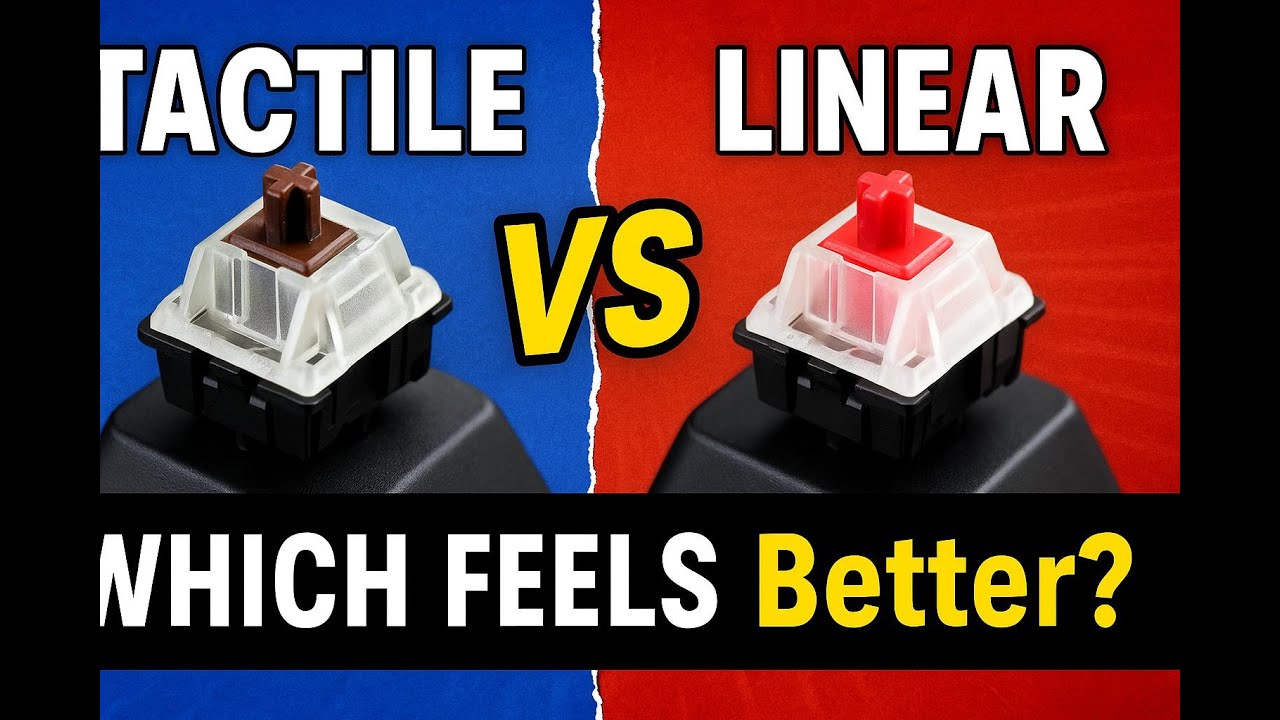
What Are Tactile Switches?
Tactile switches give a small “bump” when you press them. This bump tells you that the key has been activated.
They are very popular among writers and office users.
Key Features:
- Small bump feedback
- Medium sound level
- Good for typing accuracy
Real-Life Example:
When you type an email or assignment, tactile switches help you feel each key press. This reduces typing mistakes.
Best For:
- Typing work
- Students
- Office users
- Content writers
What Are Linear Switches?
Linear switches are smooth and silent. There is no bump or feedback when you press the key.
They are mostly used by gamers because of fast response.
Key Features:
- Smooth key press
- No bump feeling
- Very fast response
Real-Life Example:
In gaming, when you need fast movement, linear switches help you press keys quickly without resistance.
Best For:
- Gaming
- Fast typing users
- People who like silent keyboards
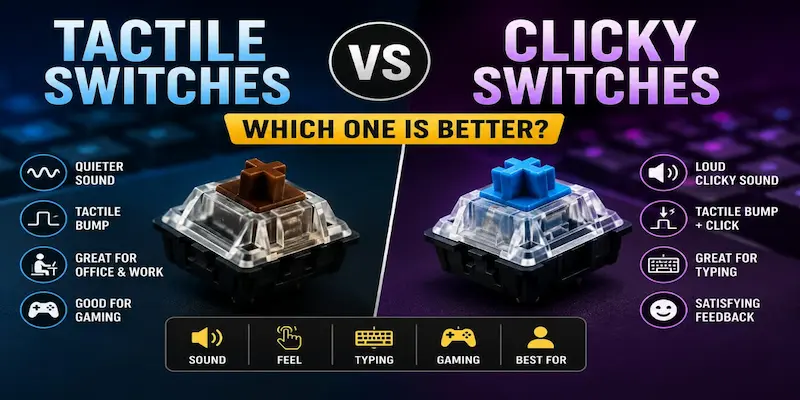
Tactile vs Linear Switches Keyboard – Key Difference
Now let’s compare both in a simple way:
| Feature | Tactile Switches | Linear Switches |
|---|---|---|
| Feel | Bumpy feedback | Smooth |
| Sound | Medium | Quiet |
| Speed | Normal | Fast |
| Best for | Typing | Gaming |
Pros and Cons of Tactile Switches
✔ Pros:
- Better typing accuracy
- Clear feedback on key press
- Good for long typing sessions
✘ Cons:
- Slightly slower than linear
- Can feel tiring for fast gaming
Simple Tip: If you type a lot, tactile switches feel more comfortable.
Pros and Cons of Linear Switches
✔ Pros:
- Very smooth typing
- Fast key response
- Perfect for gaming
✘ Cons:
- No feedback feel
- Easier to press wrong keys
- Not ideal for long typing work
Simple Tip: If you are a gamer, linear switches can improve your speed.
Which One Should You Choose?
This depends on your daily use.
- If you are a student or writer, go for tactile switches
- If you are a gamer, go for linear switches
- If you do both, you can try a mixed option later
Think about your main work first. Don’t choose only based on looks.
Common Mistakes People Make
Many beginners choose the wrong keyboard because they:
- Only focus on design
- Ignore switch type
- Don’t test before buying
- Follow trends instead of needs
Always test before you buy if possible.
Tips for Choosing the Right Keyboard
Here are some easy tips:
- Try both switch types in a store
- Think about your daily work
- Check noise level if you share a room
- Don’t rush buying decisions
Conclusion
So guys, in this article, we’ve covered Tactile vs Linear Switches Keyboard in detail. Both switch types are good, but they are made for different needs. Tactile switches give clear typing feedback with a small bump, which helps improve accuracy during writing or office work. On the other hand, linear switches give a smooth and fast key press, which is better for gaming and quick actions.
My personal recommendation is simple: choose based on your daily work, not on trends or popularity. If you are still confused, try both switches before buying so you can feel the real difference and pick the one that fits your comfort and usage best.
FAQs
Tactile switches are better for typing because they give a small bump when pressed.
This helps you feel each key clearly and reduces mistakes.
If you write a lot, tactile switches are a good choice.
Linear switches are better for gaming because they are smooth and fast.
They allow quick key presses without resistance.
This helps improve reaction time in games.
Linear switches are very quiet compared to other switches.
They do not have a click or bump sound.
This makes them good for shared or quiet places.
Tactile switches do not slow typing speed much.
They actually improve accuracy by giving feedback.
With practice, you can type fast and correctly.
Tactile switches are best for beginners.
They help users understand key press feeling better.
This reduces typing errors in the start.
Yes, some keyboards allow mixed switches.
But most people choose one type based on need.
It is better to pick according to your main use.




- Be Respectful
- Stay Relevant
- Stay Positive
- True Feedback
- Encourage Discussion
- Avoid Spamming
- No Fake News
- Don't Copy-Paste
- No Personal Attacks
- Be Respectful
- Stay Relevant
- Stay Positive
- True Feedback
- Encourage Discussion
- Avoid Spamming
- No Fake News
- Don't Copy-Paste
- No Personal Attacks
