Keyboard Ghosting Test Online Free: What It Is and How to Do It
Published: 9 Jun 2026
⌨️ Keyboard Ghosting Tester
Press any key — it will be detected here
If you have ever pressed multiple keys at the same time and noticed that some of them did not register, you have experienced keyboard ghosting. It is one of the most common and frustrating problems for gamers, fast typists, and anyone who relies on keyboard shortcuts. The good news is that you can perform a keyboard ghosting test online free using a browser-based tool without downloading software or spending any money.
Many users first check their device with a keyboard tester before running a ghosting test, as it helps confirm that individual keys are working correctly. Once basic key functionality is verified, a ghosting test can reveal whether your keyboard struggles to register multiple key presses simultaneously.
Laptop Keyboard Tester This guide explains what keyboard ghosting actually is, why it happens, how to perform a keyboard ghosting test online free, and what your results mean. By the end, you will know exactly whether your keyboard has a ghosting problem and what you can do about it.
Keyboard Ghosting Test Online Free: What Is Keyboard Ghosting?
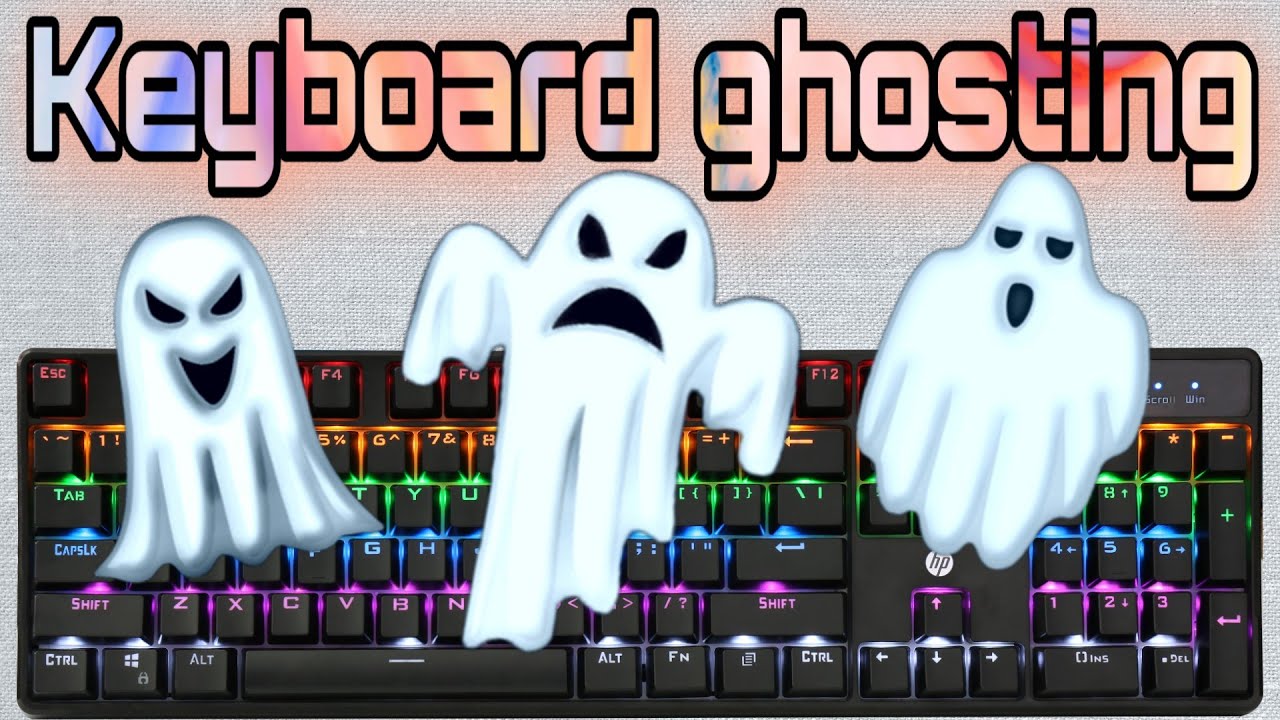
Keyboard ghosting is a hardware limitation where a keyboard fails to register one or more keypresses when multiple keys are held down at the same time. The unregistered key essentially disappears, as if it was never pressed. This is where the term ghosting comes from because the keypress becomes invisible to the system.
To understand why this happens, you need to know a little about how keyboards are built. Most keyboards use a technology called a matrix circuit. In this design, the keys are arranged in rows and columns inside the keyboard. When you press a key, the keyboard detects which row and column that key is at and sends that information to your computer.
The problem appears when you press three or more keys that share the same row or column in the matrix. The keyboard’s controller gets confused about which keys are actually pressed and either fails to register one of them or, in some cases, even sends a signal for a key that was never pressed at all. That false signal is sometimes called a ghost key, which is another reason for the name.
Ghosting is not caused by software. It is a physical limitation of the keyboard hardware. This is why some keyboards have it and others do not, regardless of which operating system or drivers you use.
Who Is Affected by Keyboard Ghosting?
Keyboard ghosting affects certain types of users more than others. You are likely to notice it if you fall into one of these categories:
- Gamers who press movement keys like W, A, S, D along with Shift, Space, and ability keys at the same time
- Music producers using keyboard shortcuts in software like FL Studio or Ableton
- Video editors who use multiple modifier keys together during playback and editing
- Programmers who rely on complex shortcut combinations in their code editors
- Fast typists who sometimes press the next key before fully releasing the previous one
- Anyone using accessibility software that requires holding multiple keys
If you use your keyboard mostly for basic typing and single-key actions, you may never notice ghosting at all. But for power users, it can be a serious problem that affects performance and productivity.
What Is a Keyboard Ghosting Test?
A keyboard ghosting test is a simple check where you press multiple keys at the same time and see how many of them your keyboard actually registers. An online ghosting test makes this process visual and easy. You open a website, press several keys together, and the tool shows you exactly which ones were detected and which ones were ignored.
The test is completely free and takes less than two minutes. You do not need to install any program. The entire test runs inside your web browser using standard technology that is built into every modern browser.
How to Do a Keyboard Ghosting Test Online for Free
Here is exactly how to run a free online keyboard ghosting test step by step:
Step 1: Open a Free Ghosting Test Website
Open your browser and go to a free keyboard ghosting test tool. One of the most popular and reliable options is keytest.io. Another good choice is keyboard-checker.com. Both of these tools are completely free, require no login, and work on Windows, macOS, and Linux.
Step 2: Click Inside the Test Area
Once the website loads, click anywhere inside the keyboard display. This step is important because it tells your browser to start listening for key inputs. If you skip this step, your keypresses may not be detected properly.
Step 3: Press Multiple Keys at the Same Time
Now press four, five, or six keys at the same time and hold them down. A good combination to try first is W, A, S, D, Shift, and Space together, since this is the exact combination gamers use constantly. Watch the virtual keyboard on screen to see which keys light up. If any of the keys you are pressing does not light up, that is ghosting.
Step 4: Try Different Key Combinations
Ghosting does not affect all key combinations equally. Some combinations may work fine while others trigger the problem. Try different groups of keys, especially the ones you use most often. Test your most common gaming shortcuts or work shortcuts to find out if ghosting affects your specific use case.
Step 5: Check Your Results
Count how many keys you pressed and how many actually lit up on the tester. If all of them lit up, your keyboard handles that combination well. If one or more did not light up, those are your ghosting keys. Take note of which combinations cause ghosting so you know exactly what your keyboard’s limitations are.
Understanding Keyboard Rollover: The Key to Ghosting Prevention
To understand ghosting properly, you need to know about a feature called keyboard rollover. Rollover refers to how many keys a keyboard can register simultaneously. The higher the rollover number, the less likely you are to experience ghosting.
2-Key Rollover (2KRO)
This is the lowest level of rollover support. The keyboard can only reliably detect two keys pressed at the same time. Any additional keys pressed simultaneously may not register. This is common in very cheap membrane keyboards and is generally not suitable for gaming or power users.
6-Key Rollover (6KRO)
Most mid-range keyboards support 6-key rollover, meaning they can detect up to six simultaneous keypresses. This is more than enough for most gaming scenarios and works well for the majority of users. However, in very complex gaming situations or professional audio and video work, six keys may still not be enough.
N-Key Rollover (NKRO)
N-Key Rollover means every single key on the keyboard can be pressed at the same time and all of them will register correctly. There is no ghosting at all with NKRO keyboards. This is the gold standard for gaming keyboards and is found in most quality mechanical keyboards. If your online ghosting test shows all keys lighting up no matter how many you press, your keyboard supports NKRO.
The Difference Between Ghosting and Key Blocking
Many people confuse keyboard ghosting with another issue called key blocking, also known as jamming. They feel similar but are technically different problems.
Ghosting, as explained earlier, is when a key you pressed is not registered at all. Key blocking is when the keyboard actively prevents you from pressing a certain key while other specific keys are held. The keyboard does not just miss the input. It refuses to accept it because of a limitation in its matrix design.
In practical terms, both ghosting and key blocking lead to the same outcome: some of your keypresses are ignored. An online ghosting test catches both problems because in both cases the affected keys simply do not appear as registered on the tester display.
Does Your Keyboard Type Matter for Ghosting?
Yes, the type of keyboard you use makes a significant difference when it comes to ghosting. Here is how different keyboard types compare:
Membrane Keyboards: These are the most common type and are found in most budget keyboards and laptop keyboards. They typically have lower rollover support, often 2KRO or 6KRO, and are more prone to ghosting under heavy multi-key use.
Mechanical Keyboards: Most mechanical keyboards are designed with anti-ghosting features and typically support full NKRO or at least 6KRO. Each key has its own independent switch, which allows the keyboard controller to detect each key individually without interference from other keys.
Laptop Keyboards: Laptop keyboards vary widely. Some modern laptops have good rollover support while older or budget laptops may ghost on just three or four simultaneous keys. Running a ghosting test on your laptop is especially useful before a gaming session or important work.
Gaming Keyboards: Most keyboards marketed specifically for gaming include anti-ghosting technology and NKRO support as a key selling point. However, always verify this with an actual test, since marketing claims are not always accurate.
What to Do If Your Keyboard Has a Ghosting Problem
If your ghosting test reveals that your keyboard has limitations, here are your options:
- Change your key bindings in your game or software to avoid the problematic key combinations. This is the easiest fix if you only experience ghosting in specific scenarios.
- Use a USB connection instead of Bluetooth if you are on a wireless keyboard. Some wireless keyboards have better rollover over USB than over their wireless receiver.
- Update your keyboard firmware if your keyboard manufacturer provides software for this. Some keyboards have firmware updates that improve rollover performance.
- Upgrade to a mechanical keyboard with NKRO support. This is the most permanent solution and ensures you will never face ghosting again. Most mechanical keyboards in the mid-range and above include full anti-ghosting as a standard feature.
Conclusion
Keyboard ghosting is a real problem that affects gamers, professionals, and power users more than they realize. Many people spend time troubleshooting their game settings or blaming their internet connection when the actual issue is their keyboard silently dropping inputs.
Running a free online keyboard ghosting test takes less than two minutes and gives you a clear answer. If your keyboard passes, you can game and work with confidence. If it does not, at least you know exactly what you are dealing with and can make an informed decision about whether to adjust your setup or upgrade your keyboard.
For additional information about keyboard technology and input devices, you can refer to the Computer Keyboard article on Wikipedia: https://en.wikipedia.org/wiki/Computer_keyboard.
FAQs
Yes. All the major online keyboard ghosting test tools are completely free to use. You do not need to create an account, enter any payment information, or download any software. Simply open the website in your browser and start testing immediately.
No. Online keyboard testers run entirely inside your browser using JavaScript. Your keypresses are not sent to any server and are not recorded anywhere. The test is processed locally on your device, which makes it completely private and safe.
Not necessarily. A ghosting test checks specific key combinations that you test during the session. If you test the combinations you use most often and they all pass, you are likely safe for your use case. However, there may be other uncommon combinations that could still trigger ghosting on certain keyboards. Testing the combinations you actually use in real life gives you the most meaningful result.
For most typists, ghosting does not cause noticeable problems because normal typing rarely requires more than two or three keys simultaneously. However, very fast typists who press the next key before fully releasing the previous one may occasionally experience a missed keypress on keyboards with low rollover support.
Generally no. Keyboard ghosting is caused by the physical hardware design of the keyboard matrix. Software and drivers cannot change how the underlying hardware detects simultaneous keypresses. The only real fix is either changing your key combinations to avoid the problem or upgrading to a keyboard with better rollover support.
Anti-ghosting is a marketing term used by keyboard manufacturers to indicate that their keyboard has been designed to reduce or eliminate ghosting. Keyboards with anti-ghosting typically support at least 6KRO or full NKRO. To find out if your keyboard has it, run a free ghosting test online or check the official specifications page on the manufacturer’s website.
Most mechanical keyboards do include anti-ghosting and NKRO support, but not all of them. Some entry-level mechanical keyboards may still have limited rollover. The best way to confirm is to run an online ghosting test on your specific keyboard after purchasing it.




- Be Respectful
- Stay Relevant
- Stay Positive
- True Feedback
- Encourage Discussion
- Avoid Spamming
- No Fake News
- Don't Copy-Paste
- No Personal Attacks
- Be Respectful
- Stay Relevant
- Stay Positive
- True Feedback
- Encourage Discussion
- Avoid Spamming
- No Fake News
- Don't Copy-Paste
- No Personal Attacks
